Authenticating text messages starts with a clean, traceable record
Import your own conversation export, unedited. Custody Commander keeps each source file's SHA-256 fingerprint, adds one for the whole log, and ends the log with a records declaration template you complete. Whether messages are authenticated is up to your court.
SHA-256 for each source file and for the whole log
Declaration template that you complete
Your court decides authenticity under its own rules
1of 4
What it means to authenticate text messages, in plain words
In general terms, to authenticate text messages means showing they are what they're said to be: messages from a particular phone or account, between particular people, on particular dates. Each court applies its own rules to that question and decides what's enough. What you can control is keeping a clean, traceable record of where your copy came from.
Import the whole conversation from your own phone's or app's export, not retyped text
Imported message text can't be edited in the app
Tags and display names you add never change a message
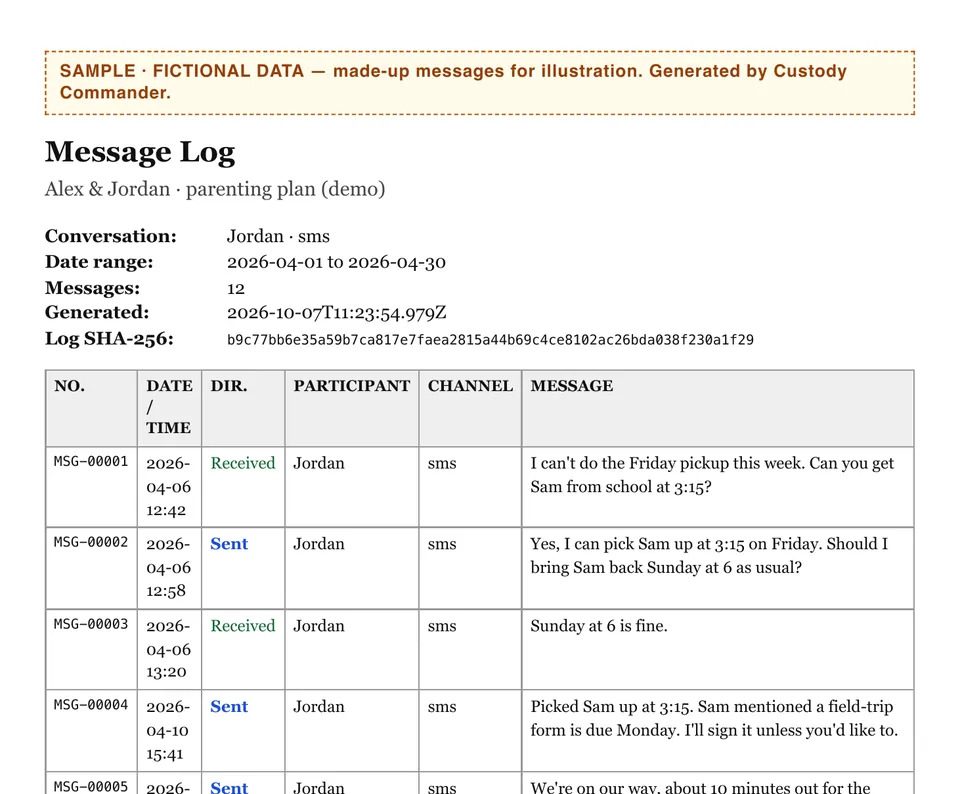
Each message keeps its date and time, direction, participant and channel
2of 4
Fingerprints that show a file hasn't changed since import
A SHA-256 fingerprint is a code calculated from a file's exact contents. Change a single character and the code changes. The log lists each source file with the fingerprint recorded when you imported it, so a copy of that file can be checked against the code in the log, and it adds one more fingerprint for the log as a whole.
Each source file listed with the SHA-256 recorded at import
One SHA-256 fingerprint for the whole log
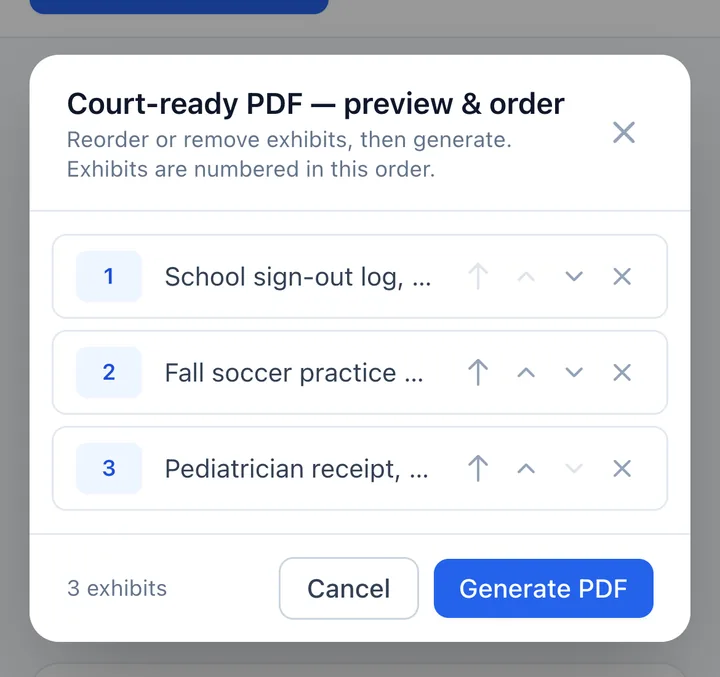
Screenshots in your evidence list get the same treatment, checked again before the exhibit PDF is built
A Full Case Bundle export, free at any time, with your originals and a SHA-256 manifest
A records declaration template, for you to complete
Every message log ends with a records declaration template. It's a starting point, not an official court form: you read it, fill it in and decide whether and how to use it. Your court's own forms and local rules come first, and nobody at Custody Commander reviews documents for you.
Templates are starting points, not official court forms.
In the app
A records declaration template at the end of every message log
A free text authentication declaration template on our templates page, with no signup
In the app, a Declaration template with numbered paragraphs and a penalty-of-perjury signature block
AI drafts leave [placeholders] for facts the app doesn't have, and you confirm you prepared and reviewed the document before you sign or export it
4of 4
Screenshots, exports and logs: keeping each one traceable
Screenshots are quick, but each one shows only part of a thread, and the exact time is often missing. An export keeps the whole conversation in order with its timestamps. Many people keep both: the export for the complete record, and screenshots that show how messages looked on their phone. Whether either is enough is for your court to decide.
Screenshots go in your evidence list, where the app reads the text and suggests a date for you to check
Exports go in the message log, numbered from MSG-00001 with page numbers on every page
Search the log for a phrase from a screenshot to find the same message and its number
PDF times are listed in UTC, so note the difference from your phone's clock on copies
Create your account, then after a short setup you can try Full Suite free for 7 days. Card required; then $24.99/mo or $299/yr (about 82¢ a day) until you cancel. Cancel before day 7 and you pay nothing. Or subscribe now — $299/yr
50% off · 20× the AI
Full Suite Max
Everything in Full Suite, with 20× the AI actions.
$99.99$49.99/mo
or $899/yr$399/yr
Everything in Full Suite: all five tools and the assistant
6,000 AI actions a month (20× Full Suite)
50% off (normally $99.99/mo), locked in as long as you don’t cancel
Already on Full Suite? Get 20× the AI credits for only +$25/mo more (prorated in place)
Clean, printable exports + free attorney & advocate access (on every plan)
$49.99 a month, renews until you cancel. Cancel online in two clicks.
$39 — just your texts
Need your messages as a PDF without a subscription? One message log from Message Extractor: chronological, Bates-numbered (MSG-00001…), with a SHA-256 fingerprint and a declaration template you complete. One-time, no subscription. See a sample (PDF)
$49 once for 30 days of hearing prep. Nothing renews.
Everything in Full Suite for 30 days from the day you buy it: all five tools, the assistant, AI included, and exports without a watermark. No subscription and nothing to cancel. When the 30 days end you’re back on the free plan, and nothing you added is deleted.
Your case stays private to your account until you invite someone and choose what they see. Data is encrypted in transit and at rest, and we don’t sell your personal information.
Your files stay yours
Originals are kept unchanged. Download your complete Case Bundle, every original file plus a manifest, free on any plan, before or after you cancel.
Cancel anytime, in two clicks
The free plan has nothing to cancel. Paid plans renew until you cancel online in two clicks, and the Hearing Pass never renews.
Organizing software, not a law firm
It organizes the files, dates and messages you provide. It doesn’t give legal advice, choose what you file or predict what a court will do.
Questions, answered straight
Frequently asked questions
How do I authenticate text messages?
It depends on your court's rules, and the court decides whether a showing is enough. Custody Commander doesn't authenticate anything or give legal advice. It keeps your own records traceable: an unedited import, SHA-256 fingerprints and a declaration template you complete. Check your local rules, your court's self-help center or a licensed attorney where you live.
How can I prove a text message is real?
No software can promise that, and the court decides what weight to give any message. What you can do is keep a clear record of where your copy came from: the original export, its fingerprint, a note of how you made it, and the full conversation around the message rather than one screenshot.
Are screenshots of texts enough?
That's up to your court. Screenshots show how messages looked on your phone, but usually only part of a thread and often without exact times. An export keeps the full conversation with its timestamps, and many people keep both. Check your court's rules or ask a licensed attorney where you live.
What is a text message authentication declaration?
It's a written statement, signed by the person who has the messages, about where they came from and how they were saved. The message log ends with a records declaration template you complete, and our templates page has a free text authentication declaration template. Both are starting points, not official court forms, so your court's own forms and local rules come first.
How do I authenticate text messages pro se?
People represent themselves for many reasons, and free or low-cost help exists: court self-help centers and legal aid offices can explain local practice, and a licensed attorney where you live can give advice. The app keeps your messages organized and traceable so you can follow your court's own steps, with or without a lawyer.
Does the app change or verify my messages?
It doesn't change them: imported message text can't be edited in the app, and tags or display names never alter a message. It also doesn't verify that anything a message says is true. The fingerprints show whether a file has changed since import, nothing more.
Is it free?
The free plan needs no card: import, read, search and tag your messages, and export a log watermarked DRAFT, declaration template included. A clean log comes with the $39 one-time Message Log package for your case, the $49 Hearing Pass or a paid plan.
A message record you can trace back to its source
Import your own export unedited, keep its fingerprint, and complete the declaration template yourself.