Bates numbering software for one parent's exhibit set
Bates numbering gives every page in a set its own number, so anyone can point to the exact page. Custody Commander adds optional Bates page numbers when it builds your numbered exhibit PDF, and prints text threads as page-numbered message logs.
Text threads printed as numbered, page-numbered logs
Free plan, no card needed
1of 4
What Bates numbering is, in plain words
A Bates number is a unique number stamped on each page of a document set, usually a short prefix plus a running number, such as SMITH-0001, SMITH-0002. It lets everyone in a hearing or a meeting turn to the same page by its number instead of describing it. Exhibit numbers name each item; Bates numbers name each page. Many sets use both.
Free-plan PDFs are watermarked DRAFT. Paid plans export clean.
In the app
Exhibit numbers (EX-001, EX-002…) give each item its own label, in date order
Optional Bates page numbers run across the pages of the exhibit PDF
A cover and index page list every exhibit up front
Each file's SHA-256 fingerprint appears in the PDF
2of 4
Exhibit numbers and page numbers in one step
Stamping pages one at a time in a PDF editor is slow, and one added page can throw off every number after it. In the app, you set the exhibit order in a preview, turn on Bates page numbers if you want them, and generate the whole PDF at once. When your set changes, build a fresh copy instead of restamping by hand.
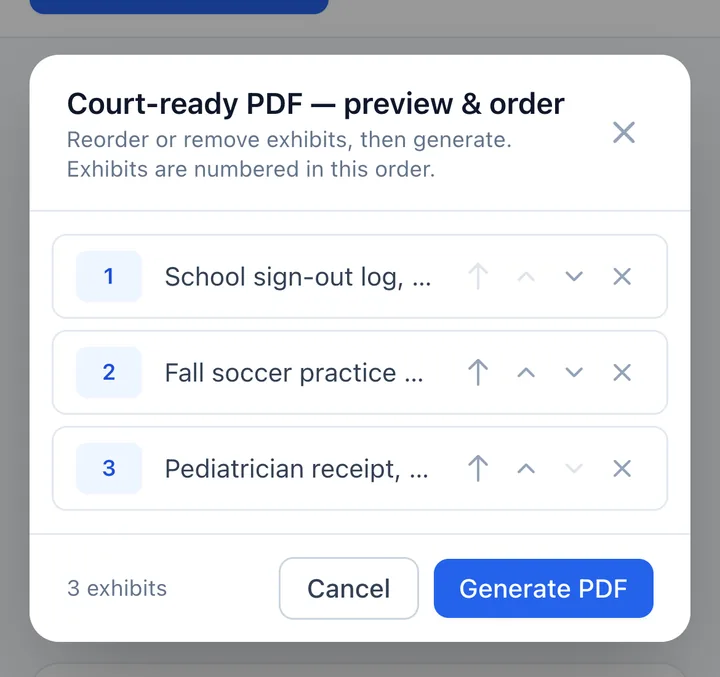
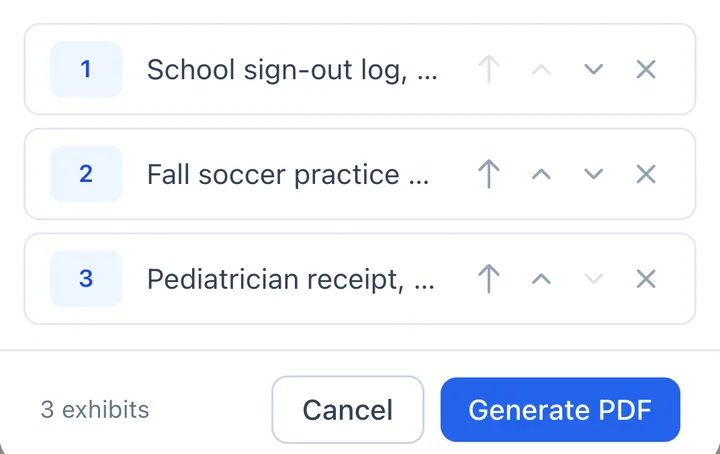
Preview the exhibits, then reorder them or remove any before you generate
Turn Bates page numbers on when you need them, or leave them off
Very large sets are split into parts for you
Photos print with location data removed, and your originals stay unchanged
Photos and PDFs print into the exhibit PDF; other file types stay listed in your evidence index
Text threads with a number on every message and every page
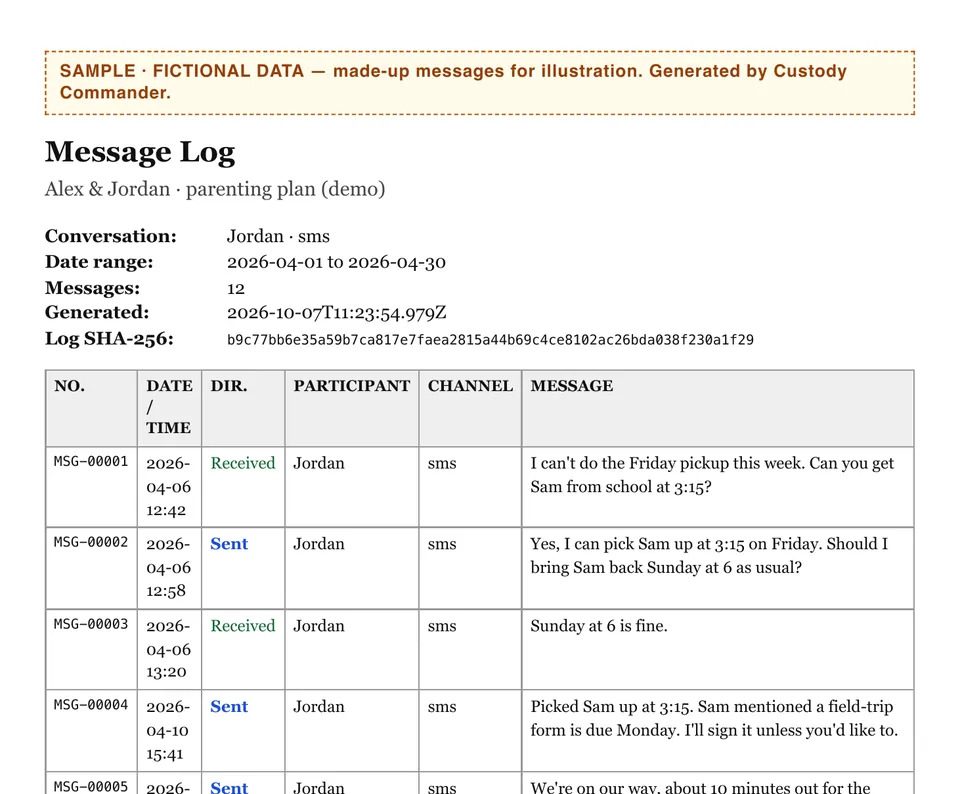
Citing a long text thread from screenshots gets messy fast. The Message Extractor imports an export of your own conversation and gives every message a number in time order, starting at MSG-00001, with page numbers on every page of the printed log. Anyone holding the log can find a message by its number. If you export only a date range, that export numbers its messages from MSG-00001 again, so hand everyone the same export.
Message numbers from MSG-00001 in time order, each with its date, time, direction and participant
Page numbers on every page of the printed log
A participant index showing each person's message-number range
Each source file listed with its SHA-256 fingerprint, plus one for the whole log
A clean log with the one-time $39 Message Log package, the Hearing Pass or a paid plan
Free-plan logs are watermarked DRAFT. Use exports from your own phone and accounts.
4of 4
The same numbers in every copy
Page numbers only help if every person holds the same set. Settle on your numbering before you print, check whether your court has rules for exhibit and page numbers, and hand out identical copies. The app keeps track of which version you printed, so a late change doesn't slip through unnoticed.
Create your account, then after a short setup you can try Full Suite free for 7 days. Card required; then $24.99/mo or $299/yr (about 82¢ a day) until you cancel. Cancel before day 7 and you pay nothing. Or subscribe now — $299/yr
50% off · 20× the AI
Full Suite Max
Everything in Full Suite, with 20× the AI actions.
$99.99$49.99/mo
or $899/yr$399/yr
Everything in Full Suite: all five tools and the assistant
6,000 AI actions a month (20× Full Suite)
50% off (normally $99.99/mo), locked in as long as you don’t cancel
Already on Full Suite? Get 20× the AI credits for only +$25/mo more (prorated in place)
Clean, printable exports + free attorney & advocate access (on every plan)
$49.99 a month, renews until you cancel. Cancel online in two clicks.
Hearing Pass · one-time
$49 once for 30 days of hearing prep. Nothing renews.
Everything in Full Suite for 30 days from the day you buy it: all five tools, the assistant, AI included, and exports without a watermark. No subscription and nothing to cancel. When the 30 days end you’re back on the free plan, and nothing you added is deleted.
Your case stays private to your account until you invite someone and choose what they see. Data is encrypted in transit and at rest, and we don’t sell your personal information.
Your files stay yours
Originals are kept unchanged. Download your complete Case Bundle, every original file plus a manifest, free on any plan, before or after you cancel.
Cancel anytime, in two clicks
The free plan has nothing to cancel. Paid plans renew until you cancel online in two clicks, and the Hearing Pass never renews.
Organizing software, not a law firm
It organizes the files, dates and messages you provide. It doesn’t give legal advice, choose what you file or predict what a court will do.
Questions, answered straight
Frequently asked questions
What is Bates numbering?
It's a way to give every page in a set its own number, usually a prefix plus a running number like DOE-0001. The name comes from the Bates numbering machine once used to stamp pages in sequence. It lets anyone refer to an exact page in a large set without confusion.
Is there a free way to Bates stamp a PDF?
On the free plan, you can build a numbered exhibit PDF with optional Bates page numbers from up to 10 evidence items, with a DRAFT watermark. A clean copy comes with a paid plan or the one-time Hearing Pass ($49), which gives 30 days of everything and never renews. The free plan needs no card.
Do I need Bates numbers for family court?
It depends on your court. Some courts or judges ask for page numbers on exhibits, and others don't say. Check your local rules, ask the clerk's office where to find them, or ask a licensed attorney where you live. Custody Commander can add the numbers; it can't tell you whether you need them.
What's the difference between exhibit numbers and Bates numbers?
An exhibit number labels a whole item, such as a school email or a photo. A Bates number labels a single page, and it keeps counting across every exhibit in the set. Together they let someone say "Exhibit 3, page SMITH-0012" and everyone lands on the same page.
Can I Bates number my text messages?
The Message Extractor numbers every imported message from MSG-00001 and puts page numbers on every page of the log. It imports exports from your own phone and accounts: iPhone (through iMazing), Android, WhatsApp, Messenger and Instagram. Regular texts come in; picture and group messages (MMS) aren't supported yet.
I work at a law firm. Is this the right tool?
Custody Commander is built for one parent organizing their own case. Firmbinder, the company that makes it, also makes CourtBriefly for attorneys and paralegals, and there's a link to it at the bottom of this page.
Is this legal advice?
No. Custody Commander is organizing software, not a law firm. It numbers and prints the files you choose; it doesn't decide what you submit or how your court wants it formatted. For those questions, check your local rules or talk to a licensed attorney where you live.
Number every page of your exhibit set
Add your exhibits, set the order and download a Bates-numbered PDF. Start free, no card needed.