Digital evidence, kept unchanged, with a fingerprint for every file
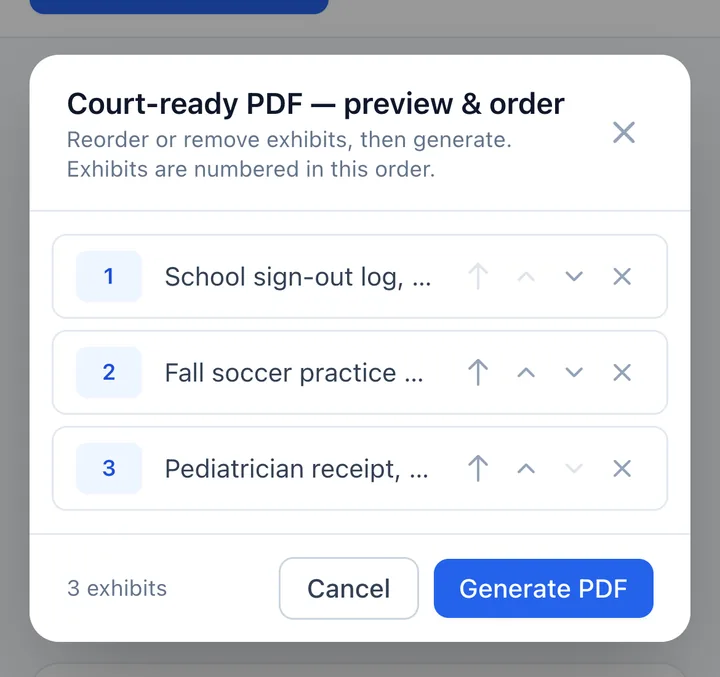
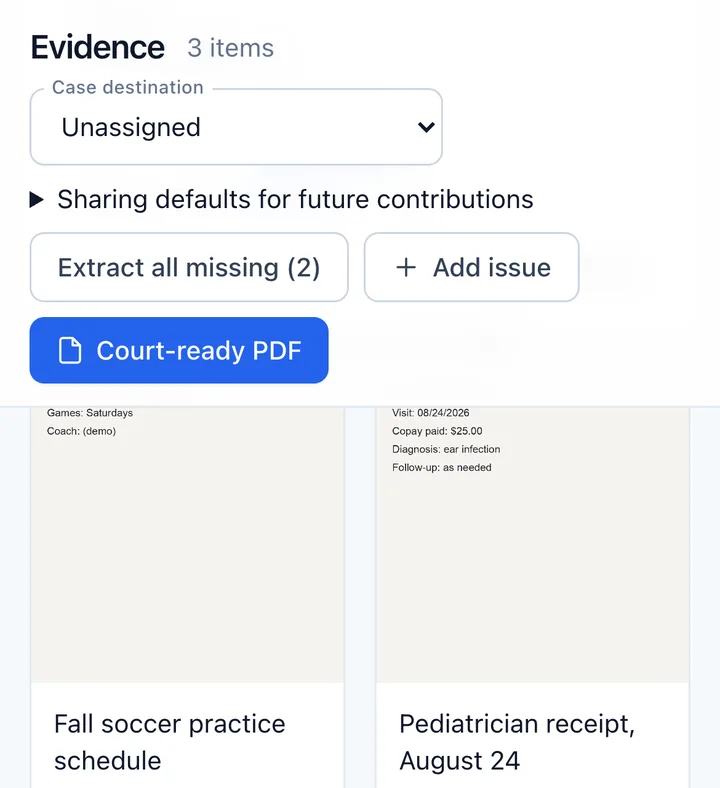
Every file you add is stored exactly as it arrived and gets a SHA-256 fingerprint on the spot. Custody Commander checks that fingerprint again before it builds your exhibit PDF, then lists it with each exhibit so anyone can compare.
Full Case Bundle export with a SHA-256 manifest, free any time
Encrypted in transit and at rest
1of 4
What a SHA-256 fingerprint is, in plain words
SHA-256 is a widely used way to turn a file's exact contents into a 64-character code, often called a hash. The same file always gives the same code. Change one letter, one pixel or one second of audio and the code comes out completely different. That makes it a simple way to check, later, that a piece of digital evidence is still the file you saved.
A fingerprint is recorded for each file the moment you add it
It's calculated again before your exhibit PDF is built
Each exhibit's fingerprint is printed in the PDF and listed in the evidence index
Message log exports list each source file's fingerprint, plus one for the whole log
2of 4
Originals stay untouched while you organize around them
Organizing usually means renaming, describing, tagging and reordering. In the app, all of that happens around the file, not to it. Your labels, dates, tags and notes are stored beside the original, and the file itself stays exactly as you added it, from the day you upload to the day you print.
Add files one at a time, in batches or as a folder, from your phone or computer
Labels, dates, tags and notes never alter the file
AI readings are stored as text and marked unverified until you check them
Location data is removed only from photos in the exhibit PDF; the original keeps everything
Up to 25 MB per file. Screenshots, photos, PDFs, documents, spreadsheets, emails, audio and video.
3of 4
Checked again before anything is printed
A fingerprint only helps if someone compares it. Before the app builds an exhibit PDF, it recalculates each file's fingerprint and compares it with the one recorded at upload. The PDF then lists each exhibit's fingerprint, so anyone holding the original file can run the same check with a free SHA-256 tool and get the same code.
Free-plan PDFs are watermarked DRAFT. Paid plans export clean.
In the app
Fingerprints recalculated and compared before every exhibit PDF
A cover and index page, then numbered exhibits with their fingerprints
A printable evidence index with each item's number, date, description and fingerprint
Optional Bates page numbers, with large sets split into parts
4of 4
Take a full copy of everything, any time
It's wise to keep your own copy of your records outside any app. The Full Case Bundle export gives you every original file, a manifest listing each file's SHA-256 fingerprint, and your records from the app, free whenever you want it. You can also delete an import or a conversation at any time.
Create your account, then after a short setup you can try Full Suite free for 7 days. Card required; then $24.99/mo or $299/yr (about 82¢ a day) until you cancel. Cancel before day 7 and you pay nothing. Or subscribe now — $299/yr
50% off · 20× the AI
Full Suite Max
Everything in Full Suite, with 20× the AI actions.
$99.99$49.99/mo
or $899/yr$399/yr
Everything in Full Suite: all five tools and the assistant
6,000 AI actions a month (20× Full Suite)
50% off (normally $99.99/mo), locked in as long as you don’t cancel
Already on Full Suite? Get 20× the AI credits for only +$25/mo more (prorated in place)
Clean, printable exports + free attorney & advocate access (on every plan)
$49.99 a month, renews until you cancel. Cancel online in two clicks.
Hearing Pass · one-time
$49 once for 30 days of hearing prep. Nothing renews.
Everything in Full Suite for 30 days from the day you buy it: all five tools, the assistant, AI included, and exports without a watermark. No subscription and nothing to cancel. When the 30 days end you’re back on the free plan, and nothing you added is deleted.
Your case stays private to your account until you invite someone and choose what they see. Data is encrypted in transit and at rest, and we don’t sell your personal information.
Your files stay yours
Originals are kept unchanged. Download your complete Case Bundle, every original file plus a manifest, free on any plan, before or after you cancel.
Cancel anytime, in two clicks
The free plan has nothing to cancel. Paid plans renew until you cancel online in two clicks, and the Hearing Pass never renews.
Organizing software, not a law firm
It organizes the files, dates and messages you provide. It doesn’t give legal advice, choose what you file or predict what a court will do.
Questions, answered straight
Frequently asked questions
What counts as digital evidence?
Generally, any record stored as a file: screenshots, photos, video, audio, emails, PDFs, spreadsheets and exported message threads. What a court accepts, and how, is up to that court, so check your local rules. Custody Commander stores these files, keeps the originals unchanged and helps you organize them; it doesn't decide what to use.
How can I show digital evidence wasn't altered?
One common approach is a record of each file's SHA-256 fingerprint from when you saved it, so anyone can recompute it and compare. The app records one at upload, checks it before each exhibit PDF and prints it in the PDF. Whether that's enough for your court, and how to present it, is a question for your local rules or a licensed attorney where you live.
What does a SHA-256 hash show, and what doesn't it?
It shows whether a file is exactly the same, byte for byte, as when the fingerprint was recorded. It doesn't show who created the file, when the events in it happened, whether it's complete, or how a court will treat it. Think of it as one piece of a careful record, alongside your original and your notes.
Does the app change my files?
No. Originals are stored exactly as you added them. Dates, labels, tags, notes and AI readings are kept separately. The only change happens in the exhibit PDF, where location data is removed from photos; the original file still has it.
Can I get all my files back out?
Yes. The Full Case Bundle export includes every original, a SHA-256 manifest and your records, free any time. Your data is encrypted in transit and at rest, we don't sell personal information, and our AI providers may not use your content to train their models.
Is it free?
Yes. The free plan needs no card and never expires: one case, up to 10 evidence items, 1 GB of storage and exports watermarked DRAFT, with a fingerprint for every file. Paid plans add room and clean exports, and the Full Case Bundle is free on any plan.
Is this legal advice?
No. Custody Commander is organizing software, not a law firm. A fingerprint doesn't make a file acceptable to a court, and the app doesn't tell you what to present. For that, check your local rules or talk to a licensed attorney where you live.
Keep every file exactly as you saved it
Add your originals, let the app record a SHA-256 fingerprint for each, and print exhibits that list them. Start free, no card needed.