A divorce app for the parenting side: records, dates and kids' costs
When children are part of a divorce, the custody records pile up fast. Custody Commander is a divorce organizer app for that side of it: a setup chat builds your plan, then evidence, messages, dates, documents and shared kids' costs live in one private case file.
Private case file; the other parent isn't notified
Shared kids' expense log free for both parents
Free plan, no card needed
1of 5
Start with a plan built from your answers
Organizing goes faster when you start from a list, so this divorce app begins with one. After you sign up, a short setup chat asks about your case and builds a plan: what's already in place, what's missing and the next preparation steps. It's a to-do list for your records, not advice about your case.
A setup chat that asks about your case in plain language
A "What's missing" list and preparation steps built from your answers
A "Your court" page with links to your court's official rules, forms and self-help pages, with the date each was retrieved
Reminders for deadlines and hearings, with counts for overdue, due today and the next 7 days
2of 5
What this divorce app covers, and what it leaves to others
Custody Commander organizes the parenting and custody records that sit inside a divorce. It isn't an online divorce filing service, it doesn't file anything with a court, and it doesn't divide property, debts or other finances. For filing, start with your court's own forms and self-help center. For advice about any part of the divorce, talk to a licensed attorney where you live.
Covers: evidence, message logs, a dated timeline, documents, hearing prep and shared kids' costs
One case file with unlimited court case numbers, so a divorce, custody and support case can sit side by side
Each case number keeps its own deadlines and documents
Doesn't cover: filing, e-filing, property or debt division, or calculating child support
3of 5
School emails, screenshots and photos in one place
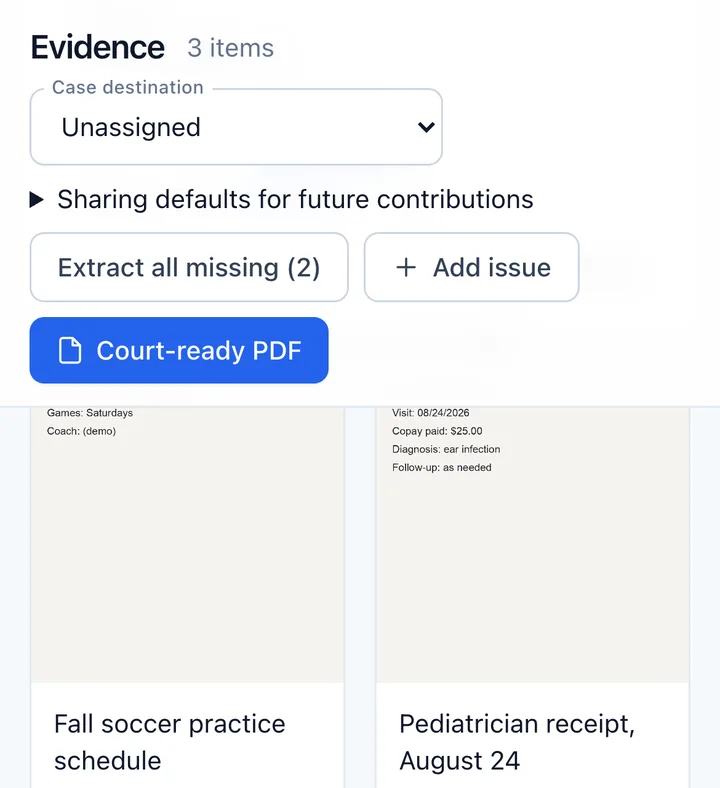
Records about the children come from everywhere: school portals, doctors, activity schedules, texts. Add them as they arrive, from your phone or computer, and sort later. Each file keeps its original form, and AI reads screenshots and PDFs to suggest a date and a short label for you to check.
Upload one file, a batch or a whole folder, up to 25 MB per file
Screenshots, photos, PDFs, Word files, spreadsheets, saved emails, audio and video
Originals kept unchanged, each with a SHA-256 fingerprint
AI readings marked unverified until you review them
Folders, tags such as School and Medical, priorities and search
The free plan holds up to 10 evidence items. AI reading uses AI actions; the free plan has 6.
4of 5
Dates, messages and documents that stay findable
During a divorce, it's easy to lose track of which day something happened or which version of a document is current. The master timeline keeps events, hearings and dated files in order. Text threads from your own phone become a numbered log, and a document library holds orders, reports and letters.
Templates are starting points, not official court forms. Your court's own forms and local rules come first.
In the app
Events, hearings and dated files on one timeline, grouped by month
Texts imported from iPhone, Android, WhatsApp, Messenger or Instagram exports, numbered from MSG-00001
A searchable library for filings, orders, reports and correspondence
Draft from 26 templates, such as a declaration or a proposed parenting plan, with [placeholders] you complete
Export the timeline to PDF or Word
5of 5
Children's costs shared in one log, free for both parents
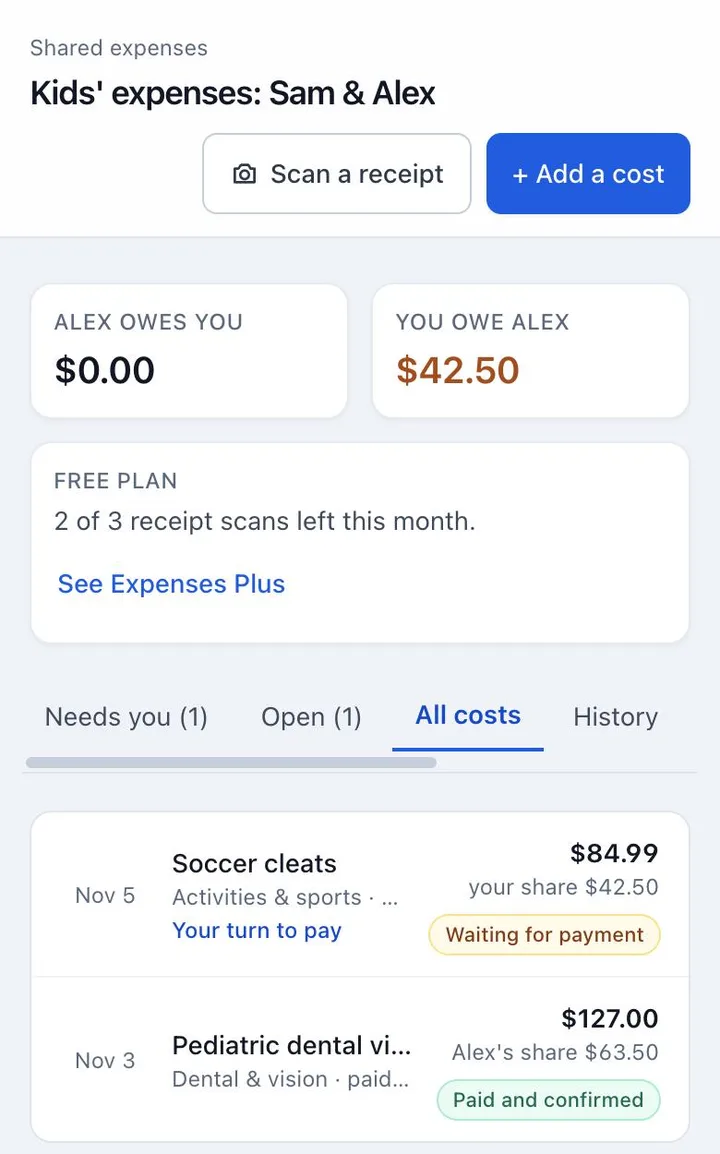
Kids' costs keep coming during and after a divorce: school fees, co-pays, activities. The shared expense log is the one part of Custody Commander both parents can use. If you invite the other parent, they join free and see only the expense log. It records what was spent, requested and paid; it never decides what anyone owes.
Unlimited expenses and receipt photos, free for both parents
Request reimbursement, mark paid, confirm received
Organizing tips, not legal advice. Your court's rules come first.
General organizing tips, not legal advice. Your court's own rules come first.
Plans and pricing
Start free. Upgrade only if you need more.
The free plan needs no credit card and never expires. Hearing prep draws on your evidence, documents and timeline, so Full Suite covers all of it; for one hearing, the Hearing Pass is below.
Free
For getting your evidence out of your camera roll and into order.
$0
Free forever — no credit card, nothing to cancel.
One case file, unlimited court case numbers
10 evidence items, 1 GB of storage
Organize, describe, tag, search
Watermarked printable PDF export
6 AI actions to try the tools (one-time, not monthly)
Create your account, then after a short setup you can try Full Suite free for 7 days. Card required; then $24.99/mo or $299/yr (about 82¢ a day) until you cancel. Cancel before day 7 and you pay nothing. Or subscribe now — $299/yr
50% off · 20× the AI
Full Suite Max
Everything in Full Suite, with 20× the AI actions.
$99.99$49.99/mo
or $899/yr$399/yr
Everything in Full Suite: all five tools and the assistant
6,000 AI actions a month (20× Full Suite)
50% off (normally $99.99/mo), locked in as long as you don’t cancel
Already on Full Suite? Get 20× the AI credits for only +$25/mo more (prorated in place)
Clean, printable exports + free attorney & advocate access (on every plan)
$49.99 a month, renews until you cancel. Cancel online in two clicks.
Hearing Pass · one-time
$49 once for 30 days of hearing prep. Nothing renews.
Everything in Full Suite for 30 days from the day you buy it: all five tools, the assistant, AI included, and exports without a watermark. No subscription and nothing to cancel. When the 30 days end you’re back on the free plan, and nothing you added is deleted.
Your case stays private to your account until you invite someone and choose what they see. Data is encrypted in transit and at rest, and we don’t sell your personal information.
Your files stay yours
Originals are kept unchanged. Download your complete Case Bundle, every original file plus a manifest, free on any plan, before or after you cancel.
Cancel anytime, in two clicks
The free plan has nothing to cancel. Paid plans renew until you cancel online in two clicks, and the Hearing Pass never renews.
Organizing software, not a law firm
It organizes the files, dates and messages you provide. It doesn’t give legal advice, choose what you file or predict what a court will do.
Questions, answered straight
Frequently asked questions
Can this divorce app file my divorce?
No. Custody Commander isn't a divorce filing service and doesn't file or e-file anything. It organizes the parenting and custody records in your case. For filing, start with your court's own forms and self-help center, or a licensed attorney where you live.
Does it handle property, debts or support amounts?
No. It doesn't divide property or debts and doesn't calculate child support or what anyone owes. You can store financial documents in the document library, and the shared expense log records kids' costs the parents enter.
Can I keep the divorce, custody and support case numbers together?
Yes. One case file holds unlimited court case numbers, each with its own numbers, deadlines and documents, side by side.
Will my spouse or the other parent see my case file?
No. Your case file is private to your account, and the other parent is never contacted or notified. If you invite them to the shared expense log, they see only that log. You choose who else sees which sections.
Can I share it with my attorney?
Yes. Invite an attorney, paralegal, mediator or family member by email, choose the sections they see, and set view, comment, download or edit for each. Attorney accounts join free, and you can revoke access any time.
Is it free?
The free plan needs no card and never expires: one case, up to 10 evidence items, 1 GB and 6 AI actions, with exports marked DRAFT. Full Suite is $24.99 a month or $299 a year, with a 7-day trial (card required). The Hearing Pass is $49 once for 30 days of everything and never renews.
Is this legal advice?
No. Custody Commander is organizing software, not a law firm, and nothing on this page is legal advice. It helps you keep your own records in order; it doesn't choose filings or predict results. For advice, talk to a licensed attorney where you live.
Get the parenting side of the divorce organized
Answer the setup chat, get your plan, and start adding records today. Free plan, no card needed.