Add a screenshot and get a suggested date and an exhibit number
Start with one file from your phone: a screenshot, photo or PDF. Custody Commander reads it, suggests a date for you to check, and numbers your exhibits in date order for one printable PDF.
Screenshots from iPhone and Android, HEIC included
Originals kept unchanged, each with a SHA-256 fingerprint
Private until you choose to share
Start free — no credit card required
1of 4
Get every file into one place, straight from your phone
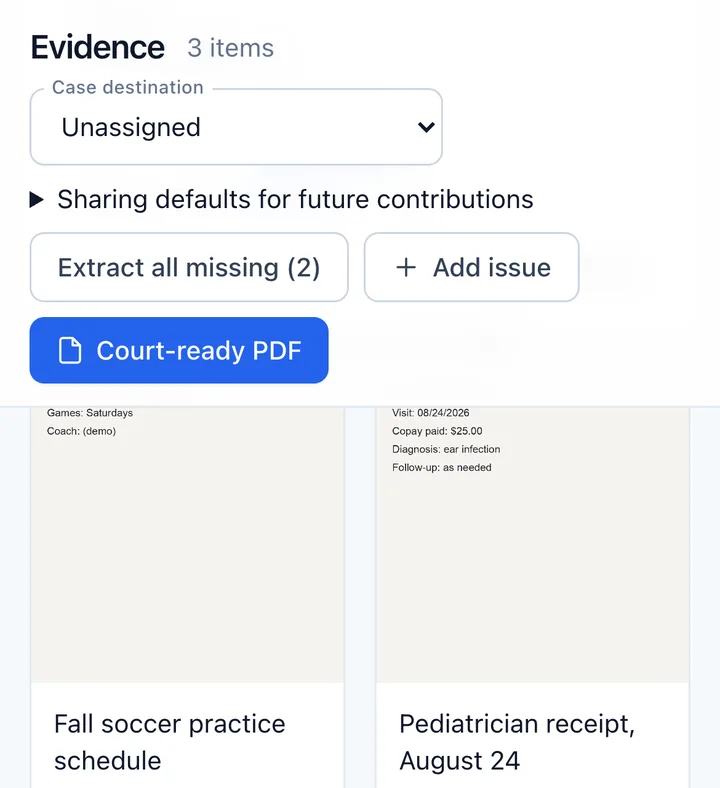
Evidence is much easier to work with when it lives in one place instead of across a camera roll, an inbox and a downloads folder. You don't need to sort anything first. Add files one at a time, a whole batch at once, or an entire folder, and sort later.
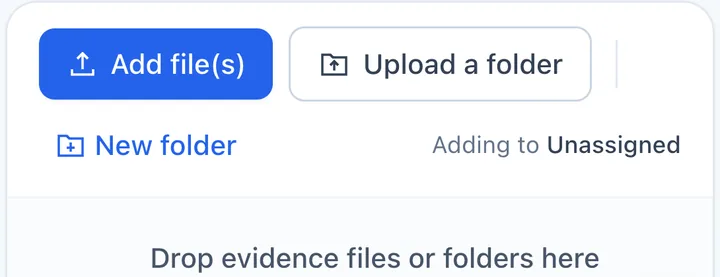
Add files or a whole folder from your phone or computer, or drag and drop them
Screenshots and photos, PDFs, Word and text documents, spreadsheets, audio and video
Your original file is kept unchanged, with a SHA-256 fingerprint recorded when you add it
Screenshots read and dated, with you checking every one
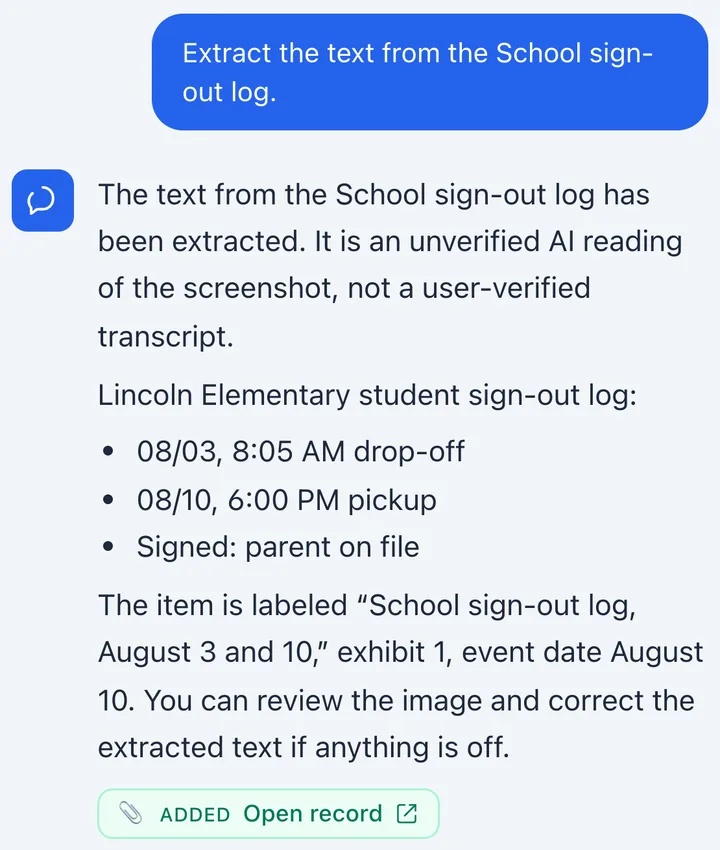
A screenshot is only useful if someone can tell what it shows and when it happened. After you add a screenshot or PDF, the app reads the text in it and looks for a likely date in that text, in the photo's details or in the file name. Every reading is marked as an unverified AI reading until you review it, so you always have the final say.
Reads the text in screenshots, photos of papers and PDFs
Fills in a likely date from the text, photo details or file name, for you to confirm
Drafts a short, factual label for each item that you can edit
Suggests tags like Late, Missed Visit, Medical, Expense and School; you tap to apply them
Plain-text and Word (.docx) files are read exactly as written, with no AI
AI reading uses AI actions. The free plan includes 6 to try it.
3of 4
Exhibits numbered in date order, printed as one PDF
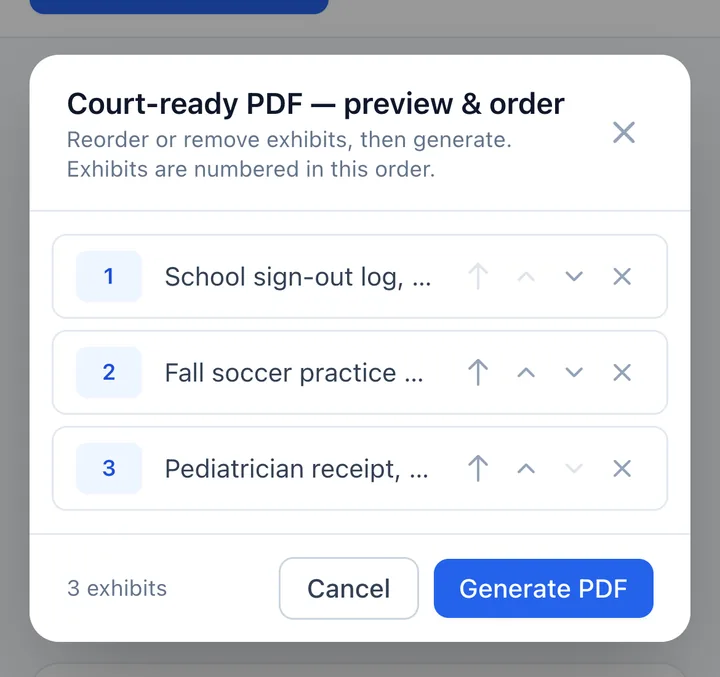
Numbered exhibits let everyone in the room turn to the same page. The app gives each new item the next exhibit number (EX-001, EX-002 and so on) in date order, and it never renumbers items you've already numbered. When you're ready, reorder or remove exhibits in a preview, then generate one PDF.
Next free exhibit number for each new item, in date order
Preview, reorder or remove exhibits before you build the PDF
One PDF with a cover and index page, numbered exhibits and each file's SHA-256
Optional Bates page numbers; very large sets are split into parts for you
Free-plan PDFs are watermarked DRAFT. Paid plans export clean.
4of 4
Find any item fast, and share only what you choose
A good evidence list can be searched by date, by topic and by type. Group items into folders and issues, filter by file type, and sort by date, name or type. Everything stays private until you invite someone and pick exactly what they can see.
Search, folders and issues to keep related items together
Filter by file type, issue or priority; sort by date, name or type
A printable evidence index with each exhibit's number, date, description and fingerprint
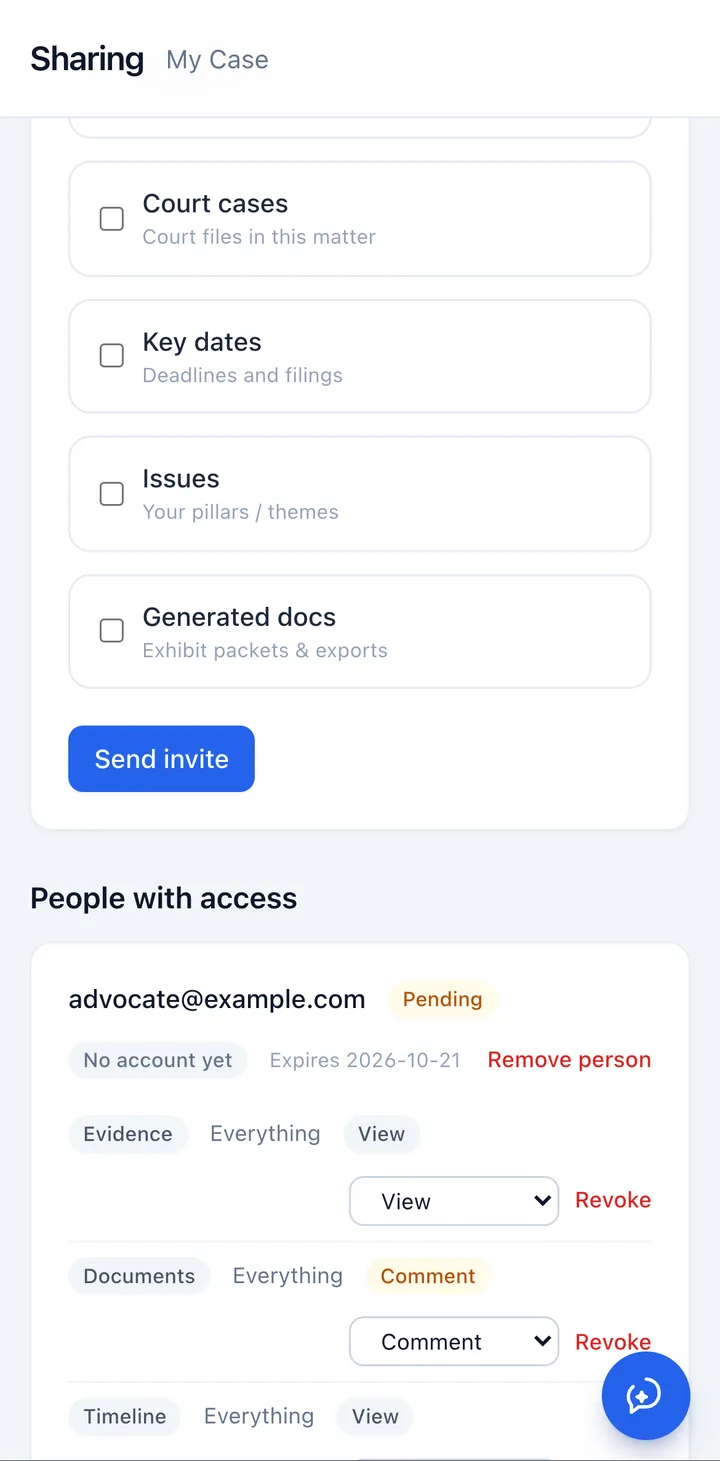
Invite an attorney or helper to view, comment on or download the items you pick
Create your account, then after a short setup you can try Full Suite free for 7 days. Card required; then $24.99/mo or $299/yr (about 82¢ a day) until you cancel. Cancel before day 7 and you pay nothing. Or subscribe now — $299/yr
50% off · 20× the AI
Full Suite Max
Everything in Full Suite, with 20× the AI actions.
$99.99$49.99/mo
or $899/yr$399/yr
Everything in Full Suite: all five tools and the assistant
6,000 AI actions a month (20× Full Suite)
50% off (normally $99.99/mo), locked in as long as you don’t cancel
Already on Full Suite? Get 20× the AI credits for only +$25/mo more (prorated in place)
Clean, printable exports + free attorney & advocate access (on every plan)
$49.99 a month, renews until you cancel. Cancel online in two clicks.
Hearing Pass · one-time
$49 once for 30 days of hearing prep. Nothing renews.
Everything in Full Suite for 30 days from the day you buy it: all five tools, the assistant, AI included, and exports without a watermark. No subscription and nothing to cancel. When the 30 days end you’re back on the free plan, and nothing you added is deleted.
Your case stays private to your account until you invite someone and choose what they see. Data is encrypted in transit and at rest, and we don’t sell your personal information.
Your files stay yours
Originals are kept unchanged. Download your complete Case Bundle, every original file plus a manifest, free on any plan, before or after you cancel.
Cancel anytime, in two clicks
The free plan has nothing to cancel. Paid plans renew until you cancel online in two clicks, and the Hearing Pass never renews.
Organizing software, not a law firm
It organizes the files, dates and messages you provide. It doesn’t give legal advice, choose what you file or predict what a court will do.
Questions, answered straight
Frequently asked questions
Is it free, and what does the free plan include?
Yes. The free plan needs no credit card and never expires. It includes one case file, up to 10 evidence items, 1 GB of storage, organizing, tags and search, 6 AI actions to try the screenshot reading (one-time, not monthly), and a printable PDF export watermarked DRAFT.
Do I need a credit card to start?
No. You sign up for the free plan with your name, email and a password, and nothing is ever charged on it. A card is needed only if you choose to pay: a paid plan, the $49 Hearing Pass or the 7-day Full Suite trial. The trial screen shows the price and the date of the first charge before you confirm, we email you 3 days and 1 day before it, and if you cancel online before then you pay nothing.
What do Evidence Helper and Full Suite add?
Evidence Helper on its own is $14.99 a month or $119 a year: no 10-item limit, 80 AI actions a month for reading and dating your files, and evidence exports without the watermark. Full Suite is $24.99 a month or $299 a year: all five tools and the assistant, 300 AI actions a month and a clean, exhibit-numbered PDF. For one hearing, the $49 Hearing Pass gives 30 days of Full Suite and never renews.
What kinds of evidence files can I add?
Screenshots and photos (JPG, PNG, iPhone HEIC and more), PDFs, Word and text documents, spreadsheets, saved emails, and audio or video files. Add them one at a time, many at once, or as a whole folder, up to 25 MB per file. Photos and PDFs print into the numbered exhibit PDF; other files stay in your evidence list and evidence index.
How does the AI screenshot reading work?
When you add a screenshot, photo or PDF, the app reads the text in it and looks for a likely date in that text, the photo's details or the file name. Everything it finds is marked as an unverified AI reading until you review it, and you can correct the text, date and label at any time. Plain-text and Word files are read as written, with no AI. AI readings use your plan's AI actions.
What is the SHA-256 fingerprint for?
It's a code calculated from a file's exact contents when you add it. If the file changes even slightly, the code changes too. The app keeps your original unchanged, checks the fingerprint again before it builds your exhibit PDF, and lists it in the PDF and the evidence index.
Is my evidence private?
Your items are private until you invite someone and choose what they can see. Data is encrypted in transit and at rest. We don't sell your personal information, and our AI providers may not use your content to train their models.
Can I print my evidence or share it with my attorney?
Yes. Download one numbered exhibit PDF with a cover and index page, or open a printable evidence index that lists each exhibit's number, date, description and fingerprint. You can also invite an attorney or advocate to view, comment on or download the items you pick, and they join free.
Can I use screenshots as evidence in family court?
Each court sets its own rules on what it accepts and how it should be presented, so check your court's rules or ask a licensed attorney where you live. Custody Commander is organizing software, not a law firm, and it doesn't give legal advice or tell you what to submit. It helps you keep each screenshot complete, dated, labeled and numbered, so your own material is ready when you need it.
Get your custody evidence in order
Start with the screenshots already on your phone. The free plan needs no credit card, and you can upgrade when you need more room or a clean PDF.