Trial exhibit list template, plus an index built from your evidence
Start an Exhibit List from a template with your case caption, case number and hearing filled in, and a row for each exhibit's number, description and date. Or let the app build a printable evidence index and a numbered exhibit PDF from the files you add.
Exhibit List template with your case caption merged in
Exhibits numbered in date order: EX-001, EX-002…
Printable evidence index built from your own files
Free plan, no card needed
1of 4
Start your exhibit list from a template, not a blank page
A trial exhibit list is a short table that tells the court and the other side what each exhibit is. Choose Exhibit List from the New from template menu and you get a starting point with your caption, court case number and hearing already in place. Each row has an exhibit number, a description and a date, with [placeholders] for you to complete.
The Exhibit List is one of 26 templates in the New from template menu
Caption, court case number and hearing date merged in from your case
A numbered table of exhibit number, description and date; add or remove rows as you go
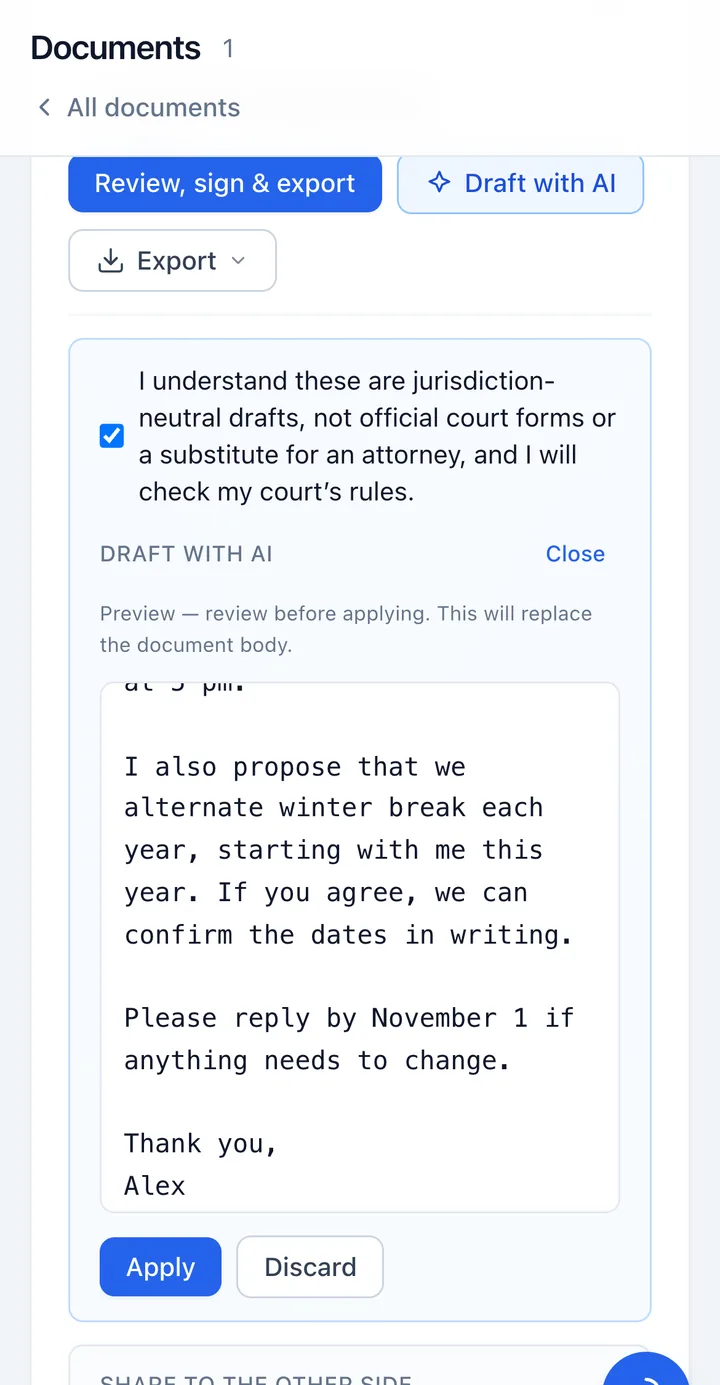
AI drafting can fill in a draft from your case's own records, leaving [placeholders] for facts it doesn't have
Export to PDF or Word, so you can adjust the layout to your court's format
Templates are starting points, not official court forms. Free-plan exports are watermarked DRAFT.
2of 4
Let the index build itself from your evidence
Typing an exhibit list by hand means retyping every date and description, then redoing it when something changes. In the Evidence section, each item you add gets the next exhibit number in date order, and the app keeps a printable evidence index of everything you've numbered. Your list and your files stay in step.
Each new item gets the next free number, EX-001, EX-002 and so on, in date order
Numbers you've already given are never reshuffled when you add more
The printable evidence index shows each exhibit's number, date, description and SHA-256 fingerprint, plus your note
The app suggests a date and a short, factual label for each item; you check and edit them
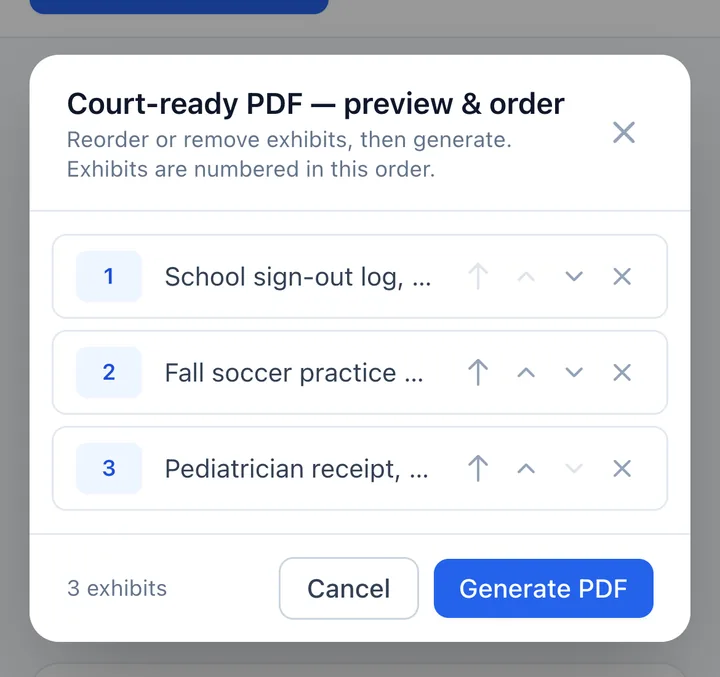
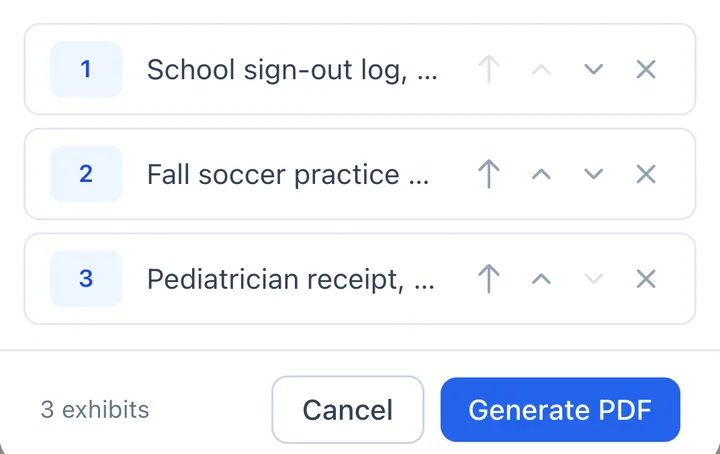
An exhibit list is easiest to use when it matches the exhibits behind it, page for page. Generate one PDF with a cover and index page up front and each numbered exhibit after it. Preview the order first, move items up or down, and leave out anything you don't plan to use.
Free-plan PDFs are watermarked DRAFT. Paid plans export clean.
In the app
A cover page and an index page, then the numbered exhibits
Each file's SHA-256 fingerprint listed in the PDF
Optional Bates page numbers
Large sets split into parts for you
Location data removed from photos in the PDF
4of 4
Match the format your court uses
Courts differ on exhibit lists. Some use numbers, some letters, some a separate series for each side, and some have their own form. Find your court's rules first, then set up the list to follow them. In a hearing binder you can type your court's label as the exhibit number and it is used exactly as written.
Create your account, then after a short setup you can try Full Suite free for 7 days. Card required; then $24.99/mo or $299/yr (about 82¢ a day) until you cancel. Cancel before day 7 and you pay nothing. Or subscribe now — $299/yr
50% off · 20× the AI
Full Suite Max
Everything in Full Suite, with 20× the AI actions.
$99.99$49.99/mo
or $899/yr$399/yr
Everything in Full Suite: all five tools and the assistant
6,000 AI actions a month (20× Full Suite)
50% off (normally $99.99/mo), locked in as long as you don’t cancel
Already on Full Suite? Get 20× the AI credits for only +$25/mo more (prorated in place)
Clean, printable exports + free attorney & advocate access (on every plan)
$49.99 a month, renews until you cancel. Cancel online in two clicks.
Hearing Pass · one-time
$49 once for 30 days of hearing prep. Nothing renews.
Everything in Full Suite for 30 days from the day you buy it: all five tools, the assistant, AI included, and exports without a watermark. No subscription and nothing to cancel. When the 30 days end you’re back on the free plan, and nothing you added is deleted.
Your case stays private to your account until you invite someone and choose what they see. Data is encrypted in transit and at rest, and we don’t sell your personal information.
Your files stay yours
Originals are kept unchanged. Download your complete Case Bundle, every original file plus a manifest, free on any plan, before or after you cancel.
Cancel anytime, in two clicks
The free plan has nothing to cancel. Paid plans renew until you cancel online in two clicks, and the Hearing Pass never renews.
Organizing software, not a law firm
It organizes the files, dates and messages you provide. It doesn’t give legal advice, choose what you file or predict what a court will do.
Questions, answered straight
Frequently asked questions
Is there a free trial exhibit list template?
Yes. Our Templates page has a free evidence index template with a row for each exhibit, and you can download it with no sign-up. Inside the app, the Exhibit List template fills in your caption and case details; the free plan needs no card, and its exports are watermarked DRAFT. Both are general formats, not official court forms, so check first whether your court has its own.
What goes on an exhibit list for court?
Most exhibit lists show the exhibit number or letter, a short description and a date, under the case caption. Some court forms add columns for the court's own marks or for which side offers each exhibit. Your court's rules or form decide the exact layout, so check them before you fill one in.
How does the app number exhibits?
In Evidence, each new item gets the next free number (EX-001, EX-002 and so on) in date order, and items already numbered are never renumbered. In a hearing binder, exhibits are numbered 1, 2, 3 in the order you set, or you can type a label your court uses and it is kept as-is.
What's the difference between an exhibit list and an evidence index?
An exhibit list is usually the short table you give the court and the other side. An evidence index is a fuller working record of everything you've collected. The app's printable evidence index adds each item's SHA-256 fingerprint and your own note, while the Exhibit List template is the shorter table under your caption.
Can I edit the exhibit list in Word?
Yes. Documents export to PDF or Word. Before you sign or export a document, you confirm that you prepared it and reviewed every statement yourself. Nobody at Custody Commander reviews your documents.
Is this legal advice?
No. Custody Commander is organizing software, not a law firm, and nothing in it is legal advice. It doesn't choose your exhibits or tell you what to offer. For questions about what your court requires, check your local rules, ask the clerk's office where to find them, or talk to a licensed attorney where you live.
Start your exhibit list today
Add your files, fill in the Exhibit List template, and print a numbered exhibit PDF to match. The free plan needs no card.