Prepare for a custody hearing on your own, week by week
A countdown plan for presenting a custody hearing yourself: what to gather, how to order exhibits, what to print and bring, and a private place to practice your points. Every step lives in one case file, with reminders until you mark the hearing ready.
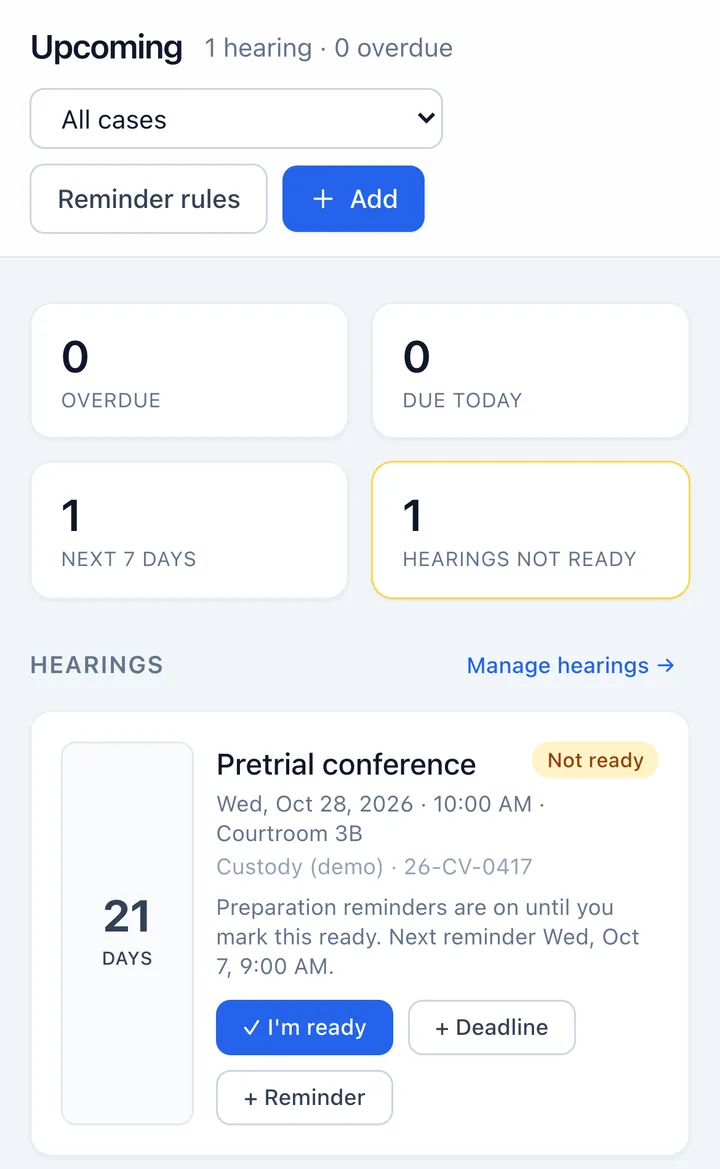
When you prepare a custody hearing on your own, every task is on your list, so time is the thing to plan first. Add the hearing date, time and courtroom once, and the countdown, deadlines and reminders line up behind it. Then work backward from the date so printing and copying happen days early, not the night before.
A countdown for each hearing, with its time and courtroom
Deadlines and reminders attached to that hearing, such as an exchange date you look up in your local rules
Preparation reminders until you tap I'm ready
Push and email notices only say you have a reminder; the details stay in the app
2of 5
Weeks out: gather and date every record you might use
Start wide and narrow down later. Pull screenshots, photos, school and medical papers and message exports into one place first. A record is much easier to use when it has a date and a one-line factual label, so add those as you go rather than in the last week.
The free plan holds up to 10 evidence items and includes 6 AI actions.
In the app
Add files one at a time, in a batch or as a whole folder, from phone or computer
AI reads the text in screenshots and PDFs and suggests a date and a short label, marked unverified until you check them
Import a whole text thread from your own phone as a numbered message log, from MSG-00001
Tags such as Late, Missed Visit, Medical, Expense and School, applied only when you tap them
3of 5
Two weeks out: choose your exhibits and set their order
An ordered set is easier to handle in a courtroom than a loose stack. Check your local rules for how exhibits must be labeled and whether they must be exchanged before the hearing, then put yours in the order you expect to mention them. The numbering follows the order you set, so a late change doesn't mean relabeling by hand.
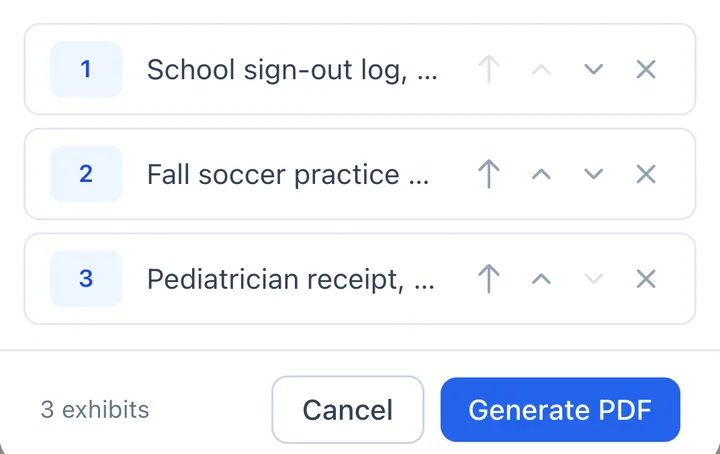
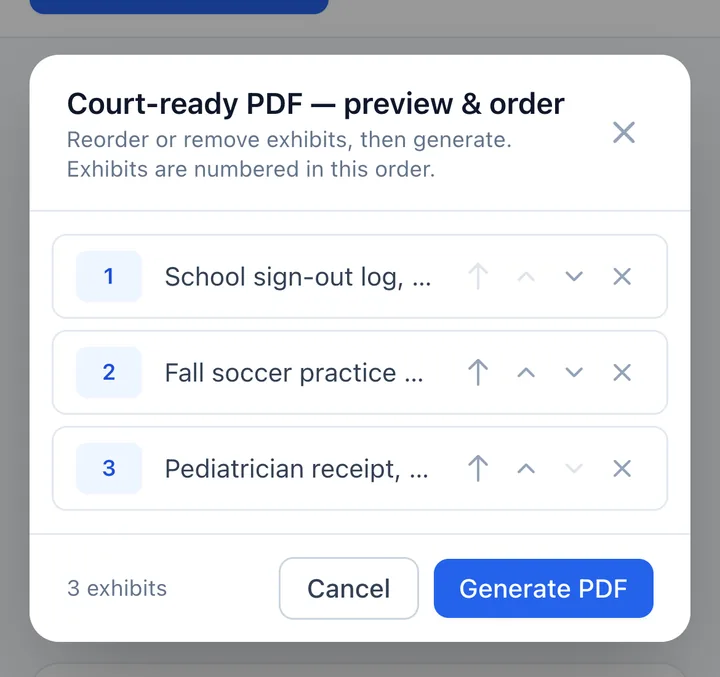
Move exhibits up, down or to the top, or leave one out
Numbered 1, 2, 3 in the order you set, or type your court's label and it's used as-is
A printable evidence index with each exhibit's number, date, description and your note
An Exhibit List template with [placeholders] that you complete and review
Printing early leaves time to fix a missing page or a photo that's hard to read. Generate the exhibit PDF, go through it page by page, and make the number of copies your court asks for. Note which version you printed, so a last-minute change doesn't leave you with two different sets.
One exhibit PDF with a cover and index page and numbered exhibits
Each file's SHA-256 fingerprint, checked again before the PDF is built
Optional Bates page numbers; very large sets split into parts
Location data removed from photos in the PDF
Mark a binder version printed and see whether it changed since
Free-plan PDFs are watermarked DRAFT. The Hearing Pass ($49, one-time) gives 30 days of everything and never renews.
5of 5
The last few days: practice your points out loud
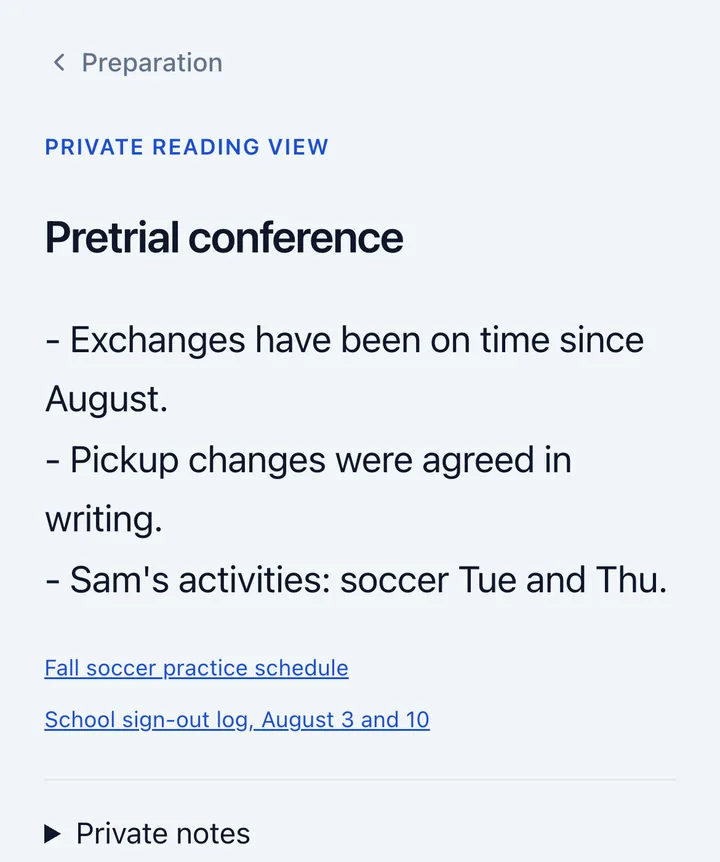
Reading an outline out loud a few times shows where it runs long or jumps around. Keep each point to a line or two, link it to its exhibit, and read through at the pace you'd actually speak. On the day, open the same notes in large text.
A hearing desk with your reading order and short notes in large text
Links from each note to the exhibit it mentions
Private notes that never go into court exports
Hearing mode shows exhibits one at a time, full screen, plus the timeline
General organizing tips, not legal advice. Your court's own rules come first.
Plans and pricing
Start free. Upgrade only if you need more.
The free plan needs no credit card and never expires. Hearing prep draws on your evidence, documents and timeline, so Full Suite covers all of it; for one hearing, the Hearing Pass is below.
Free
For getting your evidence out of your camera roll and into order.
$0
Free forever — no credit card, nothing to cancel.
One case file, unlimited court case numbers
10 evidence items, 1 GB of storage
Organize, describe, tag, search
Watermarked printable PDF export
6 AI actions to try the tools (one-time, not monthly)
Create your account, then after a short setup you can try Full Suite free for 7 days. Card required; then $24.99/mo or $299/yr (about 82¢ a day) until you cancel. Cancel before day 7 and you pay nothing. Or subscribe now — $299/yr
50% off · 20× the AI
Full Suite Max
Everything in Full Suite, with 20× the AI actions.
$99.99$49.99/mo
or $899/yr$399/yr
Everything in Full Suite: all five tools and the assistant
6,000 AI actions a month (20× Full Suite)
50% off (normally $99.99/mo), locked in as long as you don’t cancel
Already on Full Suite? Get 20× the AI credits for only +$25/mo more (prorated in place)
Clean, printable exports + free attorney & advocate access (on every plan)
$49.99 a month, renews until you cancel. Cancel online in two clicks.
Hearing Pass · one-time
$49 once for 30 days of hearing prep. Nothing renews.
Everything in Full Suite for 30 days from the day you buy it: all five tools, the assistant, AI included, and exports without a watermark. No subscription and nothing to cancel. When the 30 days end you’re back on the free plan, and nothing you added is deleted.
Your case stays private to your account until you invite someone and choose what they see. Data is encrypted in transit and at rest, and we don’t sell your personal information.
Your files stay yours
Originals are kept unchanged. Download your complete Case Bundle, every original file plus a manifest, free on any plan, before or after you cancel.
Cancel anytime, in two clicks
The free plan has nothing to cancel. Paid plans renew until you cancel online in two clicks, and the Hearing Pass never renews.
Organizing software, not a law firm
It organizes the files, dates and messages you provide. It doesn’t give legal advice, choose what you file or predict what a court will do.
Questions, answered straight
Frequently asked questions
How do I prepare for a custody hearing on my own?
Work backward from the hearing date: read the notice and your local rules, gather and date your records, choose and label your exhibits, print early and practice your points out loud. Free help exists too: many courts run self-help centers, and legal aid offices help people who qualify. Custody Commander handles the organizing steps; it doesn't tell you what to present or argue.
How many copies of my exhibits do I need?
It depends on your court. Many people bring one set for the court, one for the other side and one to work from, but your local rules or the clerk's office can tell you what's expected. The app builds the court copy and your private working copy from the same binder.
What should I practice before the hearing?
Many parents practice saying their main points from a short outline, finding each exhibit by its label, and sticking to dates and facts. The hearing desk keeps that outline in reading order, in large text, with a link to each exhibit. What you say is your decision, or a question for a licensed attorney where you live.
Can I use it for a video hearing?
Yes. Hearing mode shows your exhibits one at a time, full screen and in exhibit order, plus the timeline, so you can share your screen if your court allows it. Check your court's instructions for remote hearings, since some ask for exhibits to be sent ahead of time.
Does it help if the hearing is only days away?
Yes. It runs in a web browser on your phone or computer, so you can add files, set the order and download a PDF the day you sign up. Work through the late steps of the checklist above first: confirm the deadlines, order your exhibits and print. The Hearing Pass covers 30 days of everything for a one-time $49.
Is this legal advice?
No. Custody Commander is organizing software, not a law firm, and nothing here is legal advice. The plan on this page is about organizing and timing, with or without a lawyer. For advice about your hearing, talk to a licensed attorney where you live or ask your court's self-help center where to find help.
Is it free?
Yes, there's a free plan with no card needed: one case, up to 10 evidence items and DRAFT-watermarked exports. For clean copies, pick a paid plan or the one-time Hearing Pass, which never renews. New accounts can also try Full Suite for 7 days with a card, and you see the price and first charge date before you start.
Start your hearing countdown today
Add the hearing date, gather your records and print one numbered PDF when everything is in order. Free plan, no card needed.