Get ready for a first custody hearing: papers, dates and reminders
Add your first court date and Custody Commander counts down to it with the time and courtroom, sending preparation reminders until you tap I'm ready. Your papers, key dates and a short summary stay together in one case file.
First hearings vary a lot from court to court. Depending on the court and the case, a first appearance may confirm that papers were served, ask whether the parents agree on anything, set future dates, refer parents to mediation or a parenting class, or address a temporary schedule. The name of the hearing on your notice is the best clue, and the clerk can explain what that type of hearing usually involves. Write down what you learn, so you walk in knowing roughly what to expect.
Keep the notice of hearing in your document library
Add the hearing with its date, time and courtroom
Tie deadlines and reminders to that hearing
Unlimited court case numbers, each with its own deadlines and documents
View the notice in your browser whenever you need to check it
2of 4
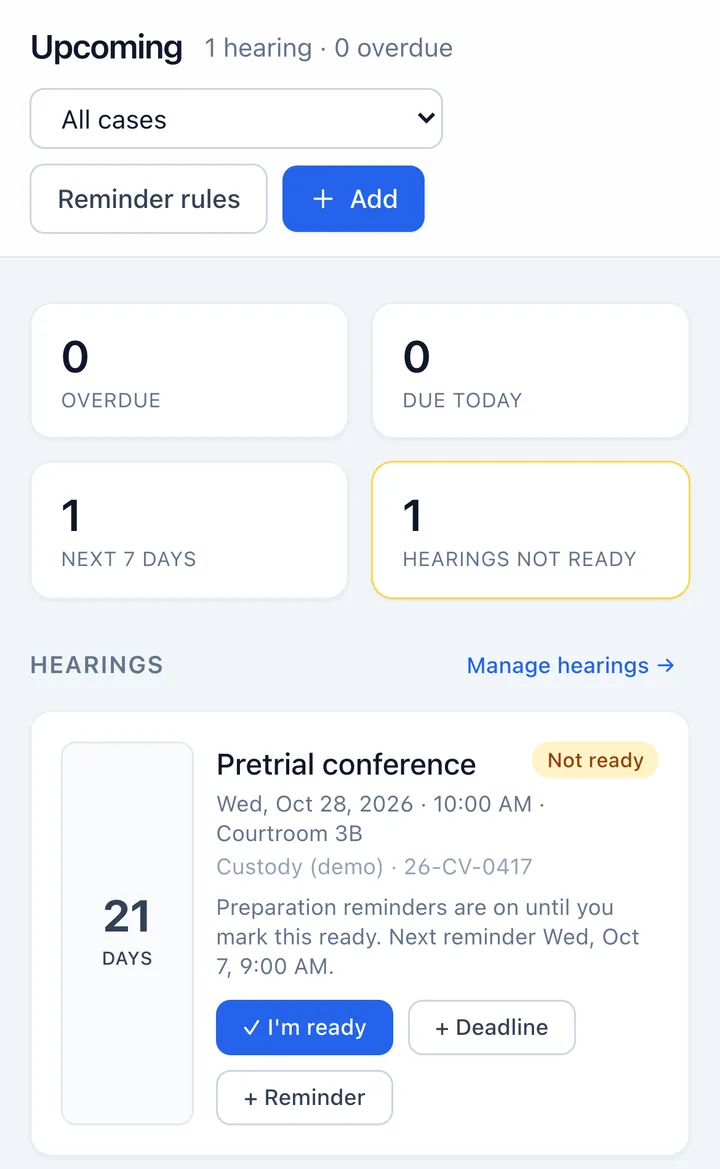
A countdown that turns weeks into small tasks
When a first court date is weeks away, preparation tends to drift until the last few days. A countdown and steady reminders break it into small jobs: gather papers this week, write the summary next week, print a few days before. When everything is together, tap I'm ready and the preparation reminders stop. Reminders can carry notes, so write the task right in the note, such as "Print binder" or "Call the clerk."
A countdown for each hearing, with its time and courtroom
Preparation reminders until you tap I'm ready
Reminders with a date, an optional time and notes
Overdue, due today and next 7 days counts at a glance
Push and email notices only say there's a reminder; the details stay in the app
3of 4
A short, dated summary of where things stand
At a first appearance, the judge may ask about the current arrangement: where the children live now, the current schedule and any orders already in place. A one-page dated summary helps you answer briefly and accurately. Keep it to facts and dates, and leave out opinions about the other parent. A summary you've read aloud once or twice is also easier to explain when you're nervous.
Every dated event on one timeline, grouped by month
Search, and filter by type, year or month
A Case Timeline Summary template to turn key dates into a one-page draft
Bring copies of everything filed so far, any orders and the hearing notice, in date order. If you plan to show documents to the court, check your local rules on exhibits and copies before you print. Three matching sets (one for the court, one for the other side, one for you) is a common starting point, but your court's rules decide the number. Printing a few days early leaves time to fix a missing page.
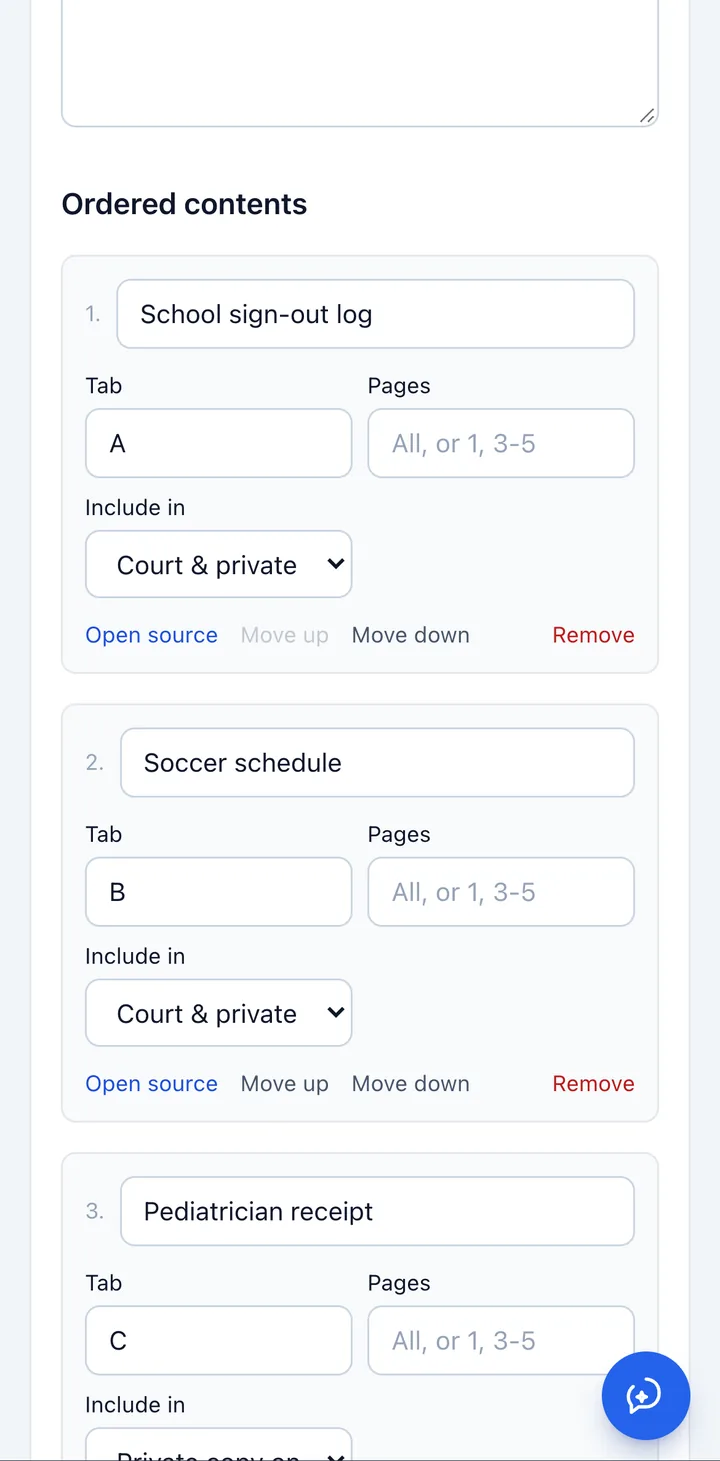
A tabbed binder with a contents page and page numbers on every page
Pull just the pages you need from a long PDF
A court copy and a private copy from the same binder
Mark a version printed, and see if it changed since
General organizing tips, not legal advice. Your court's own rules come first.
Plans and pricing
Start free. Upgrade only if you need more.
The free plan needs no credit card and never expires. Hearing prep draws on your evidence, documents and timeline, so Full Suite covers all of it; for one hearing, the Hearing Pass is below.
Free
For getting your evidence out of your camera roll and into order.
$0
Free forever — no credit card, nothing to cancel.
One case file, unlimited court case numbers
10 evidence items, 1 GB of storage
Organize, describe, tag, search
Watermarked printable PDF export
6 AI actions to try the tools (one-time, not monthly)
Create your account, then after a short setup you can try Full Suite free for 7 days. Card required; then $24.99/mo or $299/yr (about 82¢ a day) until you cancel. Cancel before day 7 and you pay nothing. Or subscribe now — $299/yr
50% off · 20× the AI
Full Suite Max
Everything in Full Suite, with 20× the AI actions.
$99.99$49.99/mo
or $899/yr$399/yr
Everything in Full Suite: all five tools and the assistant
6,000 AI actions a month (20× Full Suite)
50% off (normally $99.99/mo), locked in as long as you don’t cancel
Already on Full Suite? Get 20× the AI credits for only +$25/mo more (prorated in place)
Clean, printable exports + free attorney & advocate access (on every plan)
$49.99 a month, renews until you cancel. Cancel online in two clicks.
Hearing Pass · one-time
$49 once for 30 days of hearing prep. Nothing renews.
Everything in Full Suite for 30 days from the day you buy it: all five tools, the assistant, AI included, and exports without a watermark. No subscription and nothing to cancel. When the 30 days end you’re back on the free plan, and nothing you added is deleted.
Your case stays private to your account until you invite someone and choose what they see. Data is encrypted in transit and at rest, and we don’t sell your personal information.
Your files stay yours
Originals are kept unchanged. Download your complete Case Bundle, every original file plus a manifest, free on any plan, before or after you cancel.
Cancel anytime, in two clicks
The free plan has nothing to cancel. Paid plans renew until you cancel online in two clicks, and the Hearing Pass never renews.
Organizing software, not a law firm
It organizes the files, dates and messages you provide. It doesn’t give legal advice, choose what you file or predict what a court will do.
Questions, answered straight
Frequently asked questions
What happens at the first custody hearing?
It varies by court and by case. A first hearing is often short and may cover whether papers were served, what the parents agree on, referrals to mediation or classes, a temporary arrangement and the next dates. The type of hearing named on your notice is the best guide, and the clerk can explain it.
How long does a first custody hearing take?
It depends on the court and the type of hearing. Some first appearances take only a few minutes, while others, such as hearings on temporary arrangements, can run longer. Plan to be at court well beyond the hearing itself, since several cases may be scheduled for the same time.
What should I bring to my first court date?
Commonly: the hearing notice, copies of everything filed so far, any orders, a short dated summary, a pen and a calendar. If you plan to show documents, check your local rules on exhibits and copies. The free hearing-prep plan on our site turns three questions into a week-by-week printable checklist.
Do I need evidence at a first hearing?
It depends on what the hearing is for, so check your notice and local rules or ask the clerk. Having your records organized ahead of time means they're ready if they're needed. Whether to present anything is a question for a licensed attorney where you live.
Should I bring my children to the first hearing?
Usually children don't attend unless the court asks for them, but practices differ, so check your notice or ask the clerk before the day. Arrange childcare well ahead, since hearings can start late or run long.
Is it free?
Yes. The free plan needs no card and never expires: one case, 10 evidence items, 1 GB and 6 AI actions, with DRAFT-watermarked exports. The Hearing Pass is $49 once for 30 days of everything and never renews.
Is this legal advice?
No. Custody Commander is organizing software, not a law firm, and nothing on this page is legal advice. It keeps your dates, papers and notes in order. For advice about your hearing, talk to a licensed attorney where you live.
Get ready for your first court date
Start free, add your hearing date, and let the countdown and reminders keep your preparation on track. Organizing software, not a law firm; not legal advice.