Grandparent visitation: your relationship's history, organized by date
Grandparent visitation laws differ a lot from state to state, so start with your state's law and your court's rules. Custody Commander keeps your side organized: visits, calls, school pickups and photos on one dated timeline, with court dates and papers beside them.
Grandparent visitation laws differ, so start with your own state's
Whether grandparents can ask a court for visitation or custody, and on what terms, depends on your state's law, and the rules differ a lot from one state to the next. Court forms and procedures vary too. Your court's self-help center, legal aid or a licensed attorney where you live can tell you what applies. The app doesn't explain or track the law; it organizes your records.
A Your court page with links to your court's official rules, forms and self-help pages, with retrieval dates
A document library for papers filed and received, categorized and searchable
Unlimited court case numbers in one case file, each with its own deadlines and documents
Your case stays private; the app never contacts or notifies anyone in it
2of 5
Years of visits, calls and pickups on one timeline
A relationship built over years is easiest to show when it's written down in order. Start with what you can date: regular visits, overnights, holidays, school pickups, birthday parties, calls and video chats. Past dates are fine. Add entries for earlier years from calendars, cards and photos, and keep adding new ones as they happen.
Entries with a date, a short title and details such as times, places and who was there
Grouped by month and shown as Past, Next or Upcoming
Search everything, or filter by type, year and month
Export the timeline to PDF or Word (free-plan exports are marked DRAFT)
3of 5
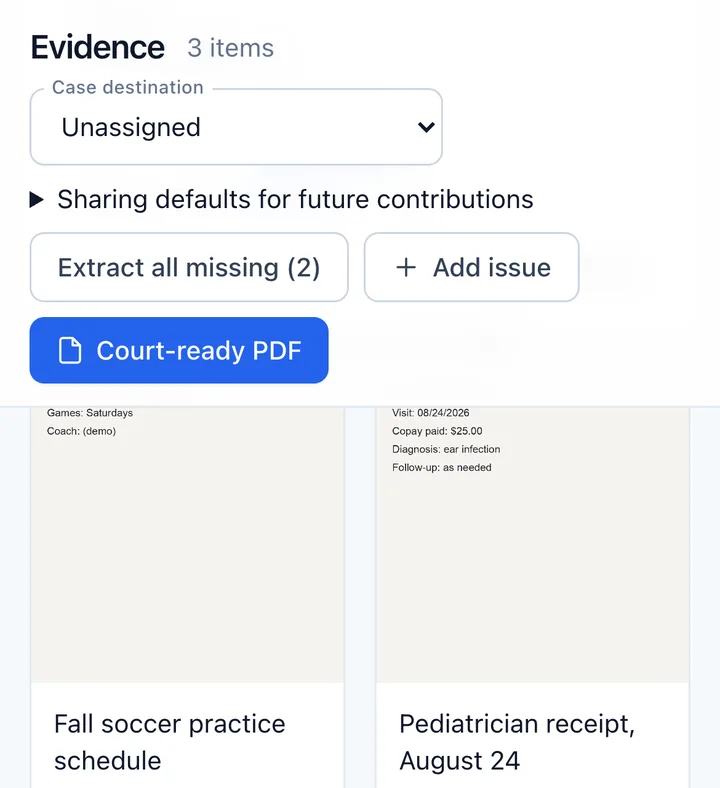
Photos, cards and school notes, each with its date
Photos from outings, birthday cards, pickup authorizations and holiday messages show a relationship in a way a summary can't. Add them from your phone or computer. The app looks for a likely date in each file's details or text and you confirm it, so each item lands on the timeline where it belongs.
Add photos, screenshots, PDFs and scanned cards one at a time, in batches or as a folder
A likely date suggested from the photo details, the text or the file name, marked unverified until you check
Folders and subfolders by year or by event
Each original kept unchanged with a SHA-256 fingerprint; location data removed from photos in the exhibit PDF
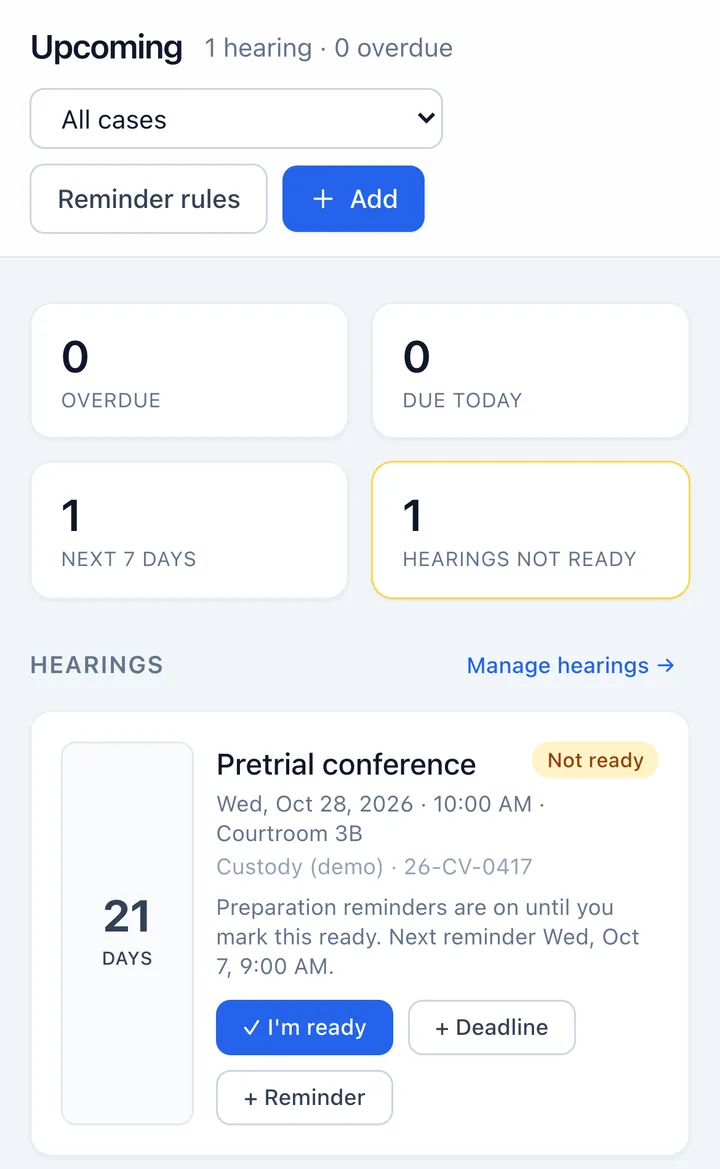
Family court matters run on dates: response deadlines, mediation sessions and hearings. Add each date once and the countdown and reminders follow, with the details kept inside the app.
A countdown for each hearing with its time and courtroom
Reminders with a date, optional time and notes; notices only say a reminder is due
Overdue, due today and next 7 days counts at the top
A tabbed hearing binder with a contents page when you need printed copies
Share with the family member or attorney helping you
Invite a spouse, another relative or an attorney by email and choose which sections they can see and what they can do with them. Revoke access whenever you like.
General organizing tips, not legal advice. Your court's own rules come first.
Plans and pricing
Start free. Upgrade only if you need more.
The free plan needs no credit card and never expires. Case Builder holds the timeline and the assistant; Full Suite adds AI reading of your screenshots and every other tool.
Free
For getting your evidence out of your camera roll and into order.
$0
Free forever — no credit card, nothing to cancel.
One case file, unlimited court case numbers
10 evidence items, 1 GB of storage
Organize, describe, tag, search
Watermarked printable PDF export
6 AI actions to try the tools (one-time, not monthly)
Create your account, then after a short setup you can try Full Suite free for 7 days. Card required; then $24.99/mo or $299/yr (about 82¢ a day) until you cancel. Cancel before day 7 and you pay nothing. Or subscribe now — $299/yr
50% off · 20× the AI
Full Suite Max
Everything in Full Suite, with 20× the AI actions.
$99.99$49.99/mo
or $899/yr$399/yr
Everything in Full Suite: all five tools and the assistant
6,000 AI actions a month (20× Full Suite)
50% off (normally $99.99/mo), locked in as long as you don’t cancel
Already on Full Suite? Get 20× the AI credits for only +$25/mo more (prorated in place)
Clean, printable exports + free attorney & advocate access (on every plan)
$49.99 a month, renews until you cancel. Cancel online in two clicks.
Hearing Pass · one-time
$49 once for 30 days of hearing prep. Nothing renews.
Everything in Full Suite for 30 days from the day you buy it: all five tools, the assistant, AI included, and exports without a watermark. No subscription and nothing to cancel. When the 30 days end you’re back on the free plan, and nothing you added is deleted.
Your case stays private to your account until you invite someone and choose what they see. Data is encrypted in transit and at rest, and we don’t sell your personal information.
Your files stay yours
Originals are kept unchanged. Download your complete Case Bundle, every original file plus a manifest, free on any plan, before or after you cancel.
Cancel anytime, in two clicks
The free plan has nothing to cancel. Paid plans renew until you cancel online in two clicks, and the Hearing Pass never renews.
Organizing software, not a law firm
It organizes the files, dates and messages you provide. It doesn’t give legal advice, choose what you file or predict what a court will do.
Questions, answered straight
Frequently asked questions
Do grandparents have rights to visitation?
It depends on your state's law and the facts of the family's situation, and the rules vary a lot from one state to another. A licensed attorney where you live, your court's self-help center or legal aid can tell you what applies. Custody Commander doesn't explain the law; it keeps your records organized.
What are grandparent visitation laws?
They're the state laws and court rules that set whether, and when, a grandparent can ask a family court for visitation or custody. Each state writes its own, so the details differ. Start with your court's website or self-help center for the current law and forms.
Is there a new law for grandparents' rights?
Laws on grandparent visitation are set state by state and can change, so check your state's current law rather than an older article or post. A court self-help center, legal aid office or licensed attorney where you live can confirm what's in effect now. The app doesn't track law changes.
Can a grandparent use Custody Commander?
Yes. It works for any party organizing their own records in a family court matter, and the timeline, evidence, message logs, documents, reminders and sharing work the same way for a grandparent. Nobody in the case is contacted or notified by the app.
What records do grandparents keep for a visitation case?
Many keep a dated history of visits, overnights, holidays and calls; photos and cards; school or activity forms naming them as a contact; and messages with the parents. Which records matter in your case is a question for a licensed attorney where you live.
Is it free?
Yes. The free plan needs no card and never expires: one case, up to 10 evidence items, 1 GB of storage and 6 AI actions, with exports watermarked DRAFT. Full Suite is $24.99 a month or $299 a year for more room and clean exports.
Is this legal advice?
No. Custody Commander is organizing software made by Firmbinder LLC, not a law firm. It doesn't say whether anyone qualifies to ask for visitation, which papers to file or how a court will decide. For advice, talk to a licensed attorney where you live.
Start your grandparent visitation record
Add the visits and calls you can date today, and keep court dates and papers in the same private file. Free plan, no card needed.