Prepare for a custody case one organized step at a time
Much of preparing for a custody battle is steady organizing, week after week. A short setup chat builds a plan of what's missing, and your evidence, messages, timeline and documents live together in one private case file.
Custody case preparation is easier to begin with a short list: what you have, what you still need, and what's due first. After signup, a setup chat asks a few questions about your case and turns the answers into a preparation plan, so the next step is always written down.
A setup chat that builds your preparation steps from your answers
A What's missing view of the steps still open
Links to your court's official rules, forms and self-help pages in one place
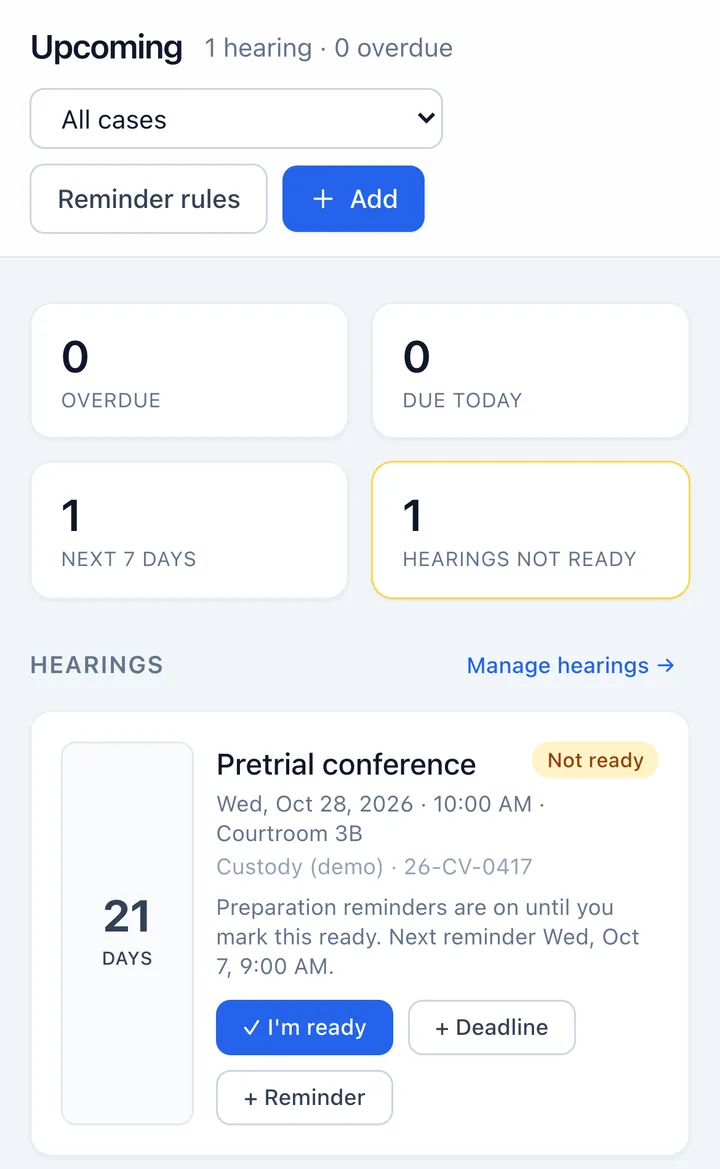
Hearing countdowns, deadlines and reminders on one Upcoming page
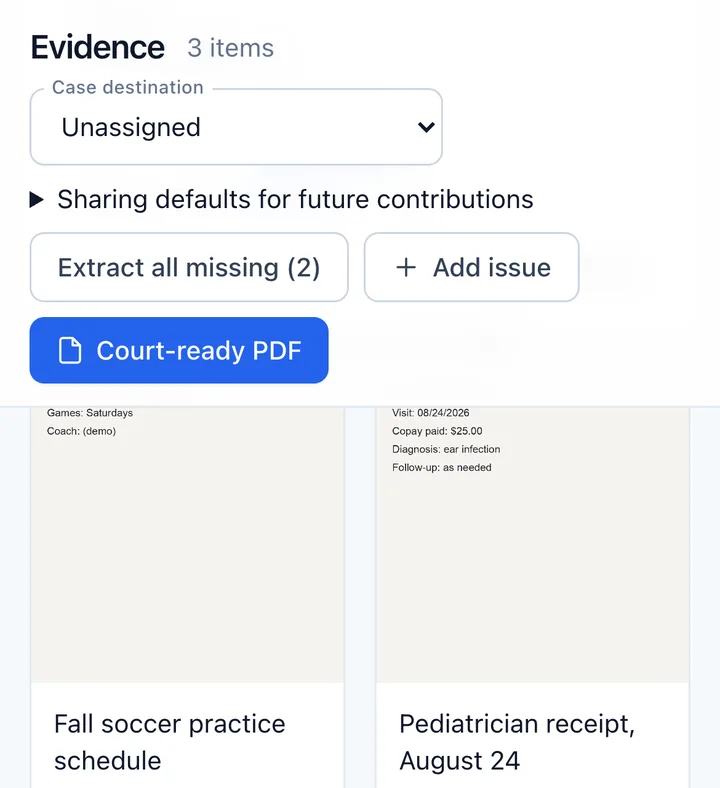
Over a long case, records pile up in a camera roll, an inbox and a downloads folder. Moving them into one place early makes every later step easier. Add files as they come in, give each one a date and a plain label, and the evidence list stays usable no matter how long the case runs.
Add files one at a time, in batches or as a whole folder, up to 25 MB each
Screenshots and photos (iPhone HEIC included), PDFs, Word files, spreadsheets, saved emails, audio and video
Your original kept unchanged, with a SHA-256 fingerprint recorded when you add it
AI suggests a date and a short factual label, marked unverified until you check it
Co-parent messages and day-to-day events tell the story in order, but only if they're kept in order. Import whole threads from your own phone or accounts as a numbered log, and keep a running timeline of exchanges, calls and school or medical visits. Write entries the same day, while details are fresh.
Imports iPhone (via iMazing), Android, WhatsApp, Messenger and Instagram exports you make yourself
Every message numbered from MSG-00001 with its date, time and sender
One master timeline for events, dated files, key dates and hearings
Tell the assistant what happened and it adds the dated entry (uses AI actions)
Export the timeline to PDF or Word
4of 5
Orders, filings and reports where you can find them
A custody case collects paper: orders, filings, reports, letters. Keep each one in a document library by category, so the current order is never more than a search away. When you need to write something, start from a template with [placeholders] for your facts, after checking your court's own forms and local rules.
Nobody at Custody Commander reviews your documents.
In the app
A searchable document library for filings, orders, reports and correspondence
26 templates, each a starting point with headings and [placeholders] you complete
Issues you name and summarize in your own words, with tagged evidence
An attorney handoff packet: summary, issues, timeline and evidence index in one PDF
A free Full Case Bundle export of every original, any time
5of 5
Calmer messages to the other parent while the case runs
Co-parenting messages keep going for the whole length of a case, and any of them can end up in the record. Comms Guard reads a draft before you send it and flags tone, escalation, possible admissions, ambiguity and oversharing, with plain-language reasons. It suggests a calmer rewrite; you edit it, copy it and send it yourself, through any channel.
Calm, practical steps for the start of a contested case, with any tool. Your court's rules and a licensed attorney where you live come first for anything legal.
Tick them off as you go. Nothing you tick is saved or sent.
General organizing tips, not legal advice. Your court's own rules come first.
Plans and pricing
Start free. Upgrade only if you need more.
The free plan needs no credit card and never expires. Hearing prep draws on your evidence, documents and timeline, so Full Suite covers all of it; for one hearing, the Hearing Pass is below.
Free
For getting your evidence out of your camera roll and into order.
$0
Free forever — no credit card, nothing to cancel.
One case file, unlimited court case numbers
10 evidence items, 1 GB of storage
Organize, describe, tag, search
Watermarked printable PDF export
6 AI actions to try the tools (one-time, not monthly)
Create your account, then after a short setup you can try Full Suite free for 7 days. Card required; then $24.99/mo or $299/yr (about 82¢ a day) until you cancel. Cancel before day 7 and you pay nothing. Or subscribe now — $299/yr
50% off · 20× the AI
Full Suite Max
Everything in Full Suite, with 20× the AI actions.
$99.99$49.99/mo
or $899/yr$399/yr
Everything in Full Suite: all five tools and the assistant
6,000 AI actions a month (20× Full Suite)
50% off (normally $99.99/mo), locked in as long as you don’t cancel
Already on Full Suite? Get 20× the AI credits for only +$25/mo more (prorated in place)
Clean, printable exports + free attorney & advocate access (on every plan)
$49.99 a month, renews until you cancel. Cancel online in two clicks.
Hearing Pass · one-time
$49 once for 30 days of hearing prep. Nothing renews.
Everything in Full Suite for 30 days from the day you buy it: all five tools, the assistant, AI included, and exports without a watermark. No subscription and nothing to cancel. When the 30 days end you’re back on the free plan, and nothing you added is deleted.
Your case stays private to your account until you invite someone and choose what they see. Data is encrypted in transit and at rest, and we don’t sell your personal information.
Your files stay yours
Originals are kept unchanged. Download your complete Case Bundle, every original file plus a manifest, free on any plan, before or after you cancel.
Cancel anytime, in two clicks
The free plan has nothing to cancel. Paid plans renew until you cancel online in two clicks, and the Hearing Pass never renews.
Organizing software, not a law firm
It organizes the files, dates and messages you provide. It doesn’t give legal advice, choose what you file or predict what a court will do.
Questions, answered straight
Frequently asked questions
How do I prepare for a custody battle?
A big part of preparing is organizing: getting papers, records, messages and dates into one place and keeping them current. Your court's rules decide the procedure, so read them early, and talk to a licensed attorney where you live for advice about your case. Custody Commander helps with the organizing; it doesn't predict results or tell you what to argue.
What should a custody case checklist include?
A useful checklist covers four things: your papers (orders, filings, notices), your records (messages, photos, school and medical records), your dates (a timeline and upcoming deadlines) and your help (who you can ask). The 30-day checklist on this page is a starting point; your court's rules come first.
Will the other parent know I'm using it?
No. The other parent never has to join, install or approve anything, and is never contacted or notified. Your case stays private until you invite someone, and people you invite see only the sections you choose.
Can I start before anything has been filed?
Yes. You can set up your case file, add records and keep a timeline at any point. Court case numbers can be added later, inside the same case file, as related cases come up, each with its own deadlines and documents.
Can I take my records with me if I stop using it?
Yes. The Full Case Bundle export gives you every original file, a SHA-256 manifest and all your records, free, at any time. Your timeline and documents also export to PDF or Word.
Is it free?
Yes. The free plan needs no card and never expires: one case, up to 10 evidence items, 1 GB of storage, 6 AI actions and DRAFT-watermarked exports. Full Suite ($24.99 a month or $299 a year) adds all five tools, 300 AI actions a month and 100 GB.
Is this legal advice?
No. Custody Commander is organizing software made by Firmbinder LLC, not a law firm, and nothing in it is legal advice. It never tells you what to argue, agree to or expect from the court. For advice, talk to a licensed attorney where you live.
Start your custody case file today
Answer a few setup questions, see what's missing, and add the first records you already have. Free plan, no card needed.